원본 문서
GPT Image 2 · zh
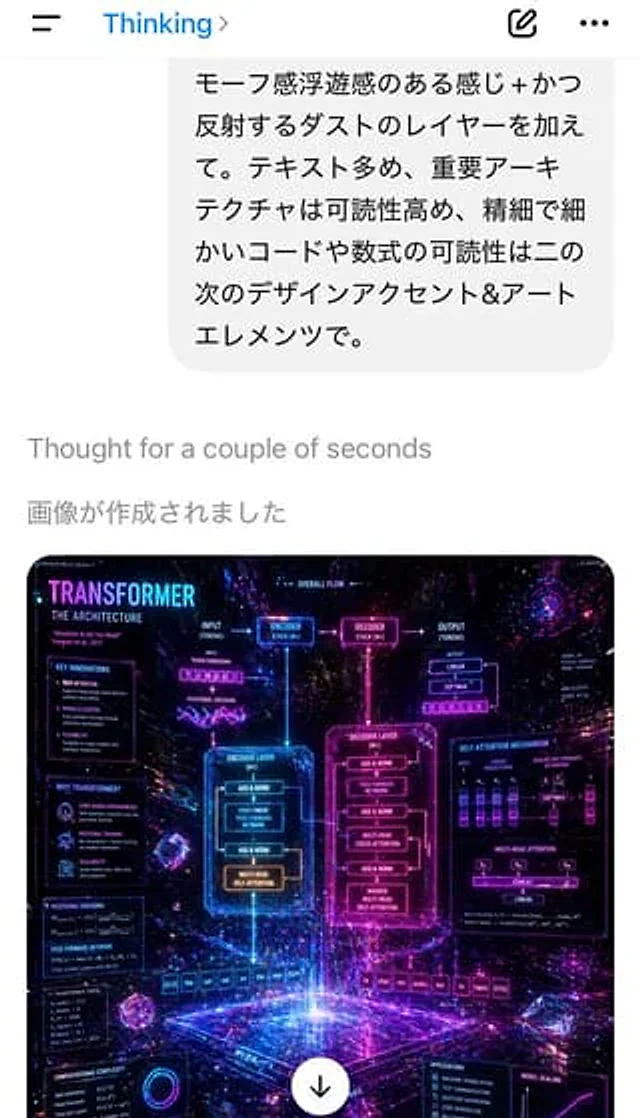
A screenshot of a portrait-oriented smartphone app showcases a Japanese AI chat interface, featuring a clean white background and an iOS-style top bar. At the top are a hamburger menu icon on the left, the blue text "Thinking," an arrow on the right, an edit/completion icon, and a three-dot menu. A huge light gray chat bubble with rounded corners is shown below, containing 6 Line Japanese text, the content is as follows: "モーフSenseFloating senseのあるSenseじ+かつReflectionするダス" The トキスト多め, the important ーアーキテクチャは are highly readable. and A line of light gray system text "Thought" is displayed below the bubble. for a couple of The text begins with "seconds," followed by a larger line of gray Japanese text: "像が作成されました" (The image was created). The lower half displays a thumbnail of a rounded-corner generated image: a dense, futuristic infographic poster about the Transformer neural network architecture, rendered as a glowing neon sci-fi holographic UI art. The poster's background is a deep cosmic space, featuring stars, purple, magenta, blue, and cyan light trails, reflecting particles, volumetric light, and floating geometric crystals. The top left corner displays the large title "TRANSFORMER," with the subtitle "THE ARCHITECTURE." It contains two large central glowing frames labeled "ENCODER LAYER" and "DECODER LAYER," connected by arrows and smaller modules labeled "ENCODER STACK (N×)" and "DECODER STACK (N×)." Numerous surrounding annotation panels and formulas have been added, including sections such as "KEY INNOVATIONS," "WHY TRANSFORMERS?", "POSITIONAL ENCODING," "FEED FORWARD NETWORK," "COMPUTATIONAL COMPLEXITY," "OVERALL FLOW," "SELF-ATTENTION MECHANISM," "MULTI-HEAD ATTENTION," "APPLICATIONS," and "MODEL SCALING." A token row is displayed at the bottom, including English input sequences like "[CLS] the cat sat on the mat [SEP]" and French-like output sequences ending with "[EOS]." Small charts, formulas, attention mechanism diagrams, and connections are added throughout, but the overall look leans towards artistic and glowing effects rather than strict readability. A white circular download button with a black downward arrow is overlaid at the bottom center of the poster thumbnail. The overall screenshot should present a realistic mobile ChatGPT-style interface, showcasing AI-generated image results in a clear and modern manner.사용 방법
- 매개변수를 포함한 전체 원본 프롬프트를 복사하세요.
- 주제, 문구, 구도를 자신의 요구에 맞게 바꾸세요.
- 호환되는 외부 도구에서 사용하고 이용 조건과 결과를 확인하세요.
시작 전 확인
- 참조 이미지가 필요한지 확인하세요. 호환 표시는 해당 모델로 이 예시를 생성했다는 뜻이 아닙니다.
- 이름, 수치, 이미지 속 문구를 확인하세요. 모델 버전에 따라 결과가 다를 수 있습니다.