Oryginalny dokument
GPT Image 2 · en
Scene:
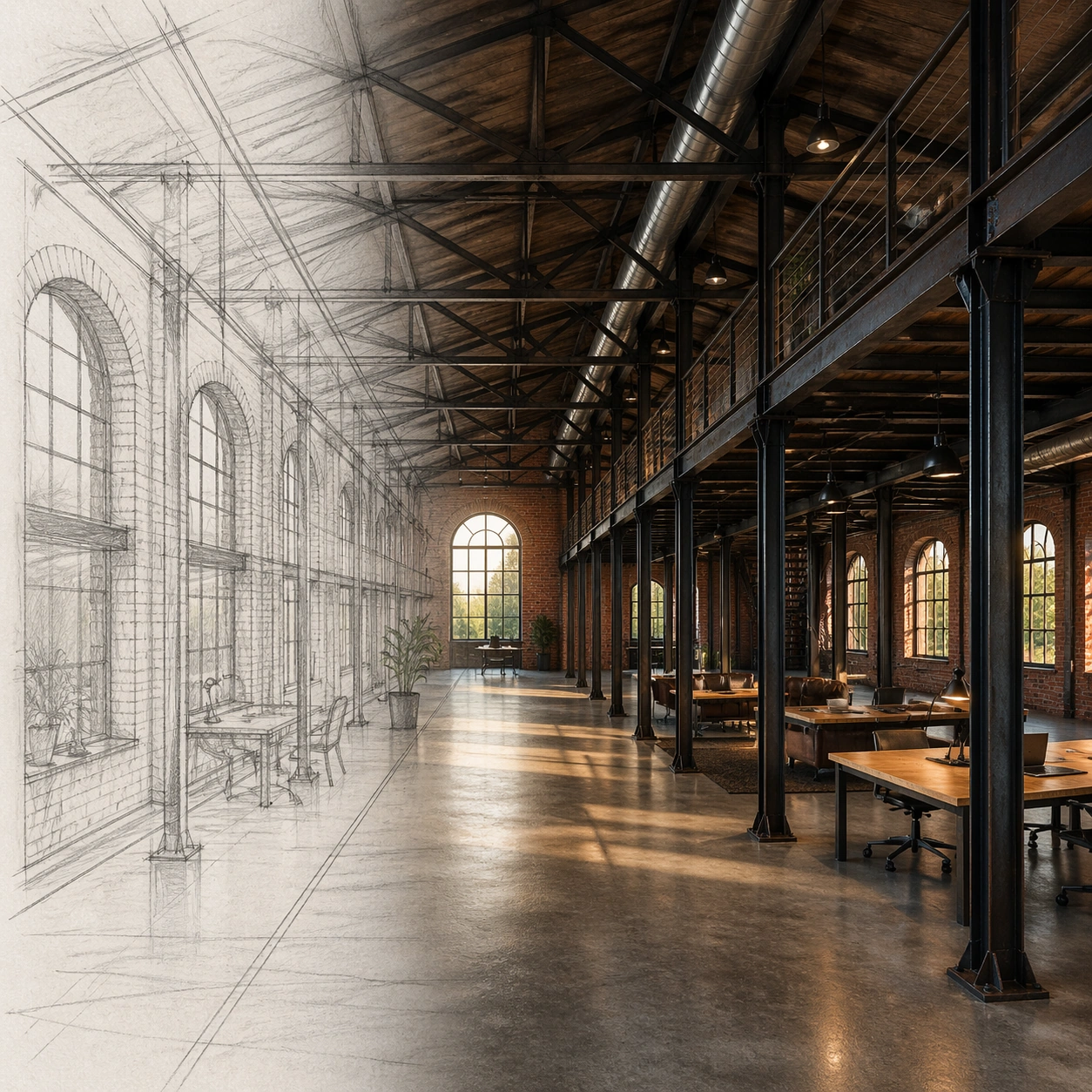
A square architectural visualization arranged as a clean before-and-after transformation without readable labels: a loose pencil sketch occupies the left third as translucent graphite linework, while the right two thirds resolve into a photoreal interior render. The viewpoint, horizon, column spacing, and window rhythm align across both halves, making the conversion easy to read. Light is late afternoon, warm but natural, with balanced shadows.

Subject:
An old brick warehouse converted into a loft workspace. The sketch side shows arched industrial windows, steel columns, a mezzanine edge, exposed roof trusses, and a long central circulation path. The photoreal side renders the same layout with aged red brick, blackened steel, polished concrete floor, large restored windows, simple worktables, a mezzanine guardrail, and ceiling ducts following the sketched truss bays.

Important details:
The drawing-to-render relationship must be structurally faithful: window arches, column grid, mezzanine height, truss spacing, floor perspective, and central path must stay locked between sketch and render. Do not turn the scene into a generic luxury office. Use plausible adaptive-reuse details, scale cues, material weathering, and real construction logic. The sketch layer can remain visible at the boundary, but the final image should mostly read as photoreal architecture.

Use case:
Sketch to Photoreal Render single study 5/8, testing independent conversion from a warehouse interior sketch into a faithful photoreal adaptive-reuse render.

Constraints:
No readable text, no watermark, no logos, preserve exact 1:1 aspect ratio, no floating furniture, no impossible beams, no extra window rows, no ornate hotel styling, no people dominating the scene.
Jak używać
- Skopiuj cały oryginalny prompt wraz z parametrami.
- Dostosuj temat, tekst i kompozycję do swoich potrzeb.
- Użyj zgodnego narzędzia zewnętrznego; sprawdź warunki dostępu i wynik.
Przed rozpoczęciem
- Sprawdź, czy potrzebny jest obraz referencyjny. Zgodność nie potwierdza modelu użytego do przykładu.
- Sprawdź nazwy, liczby i napisy; wyniki zależą od wersji modelu.