Original document
GPT Image 2 · en
Scene:
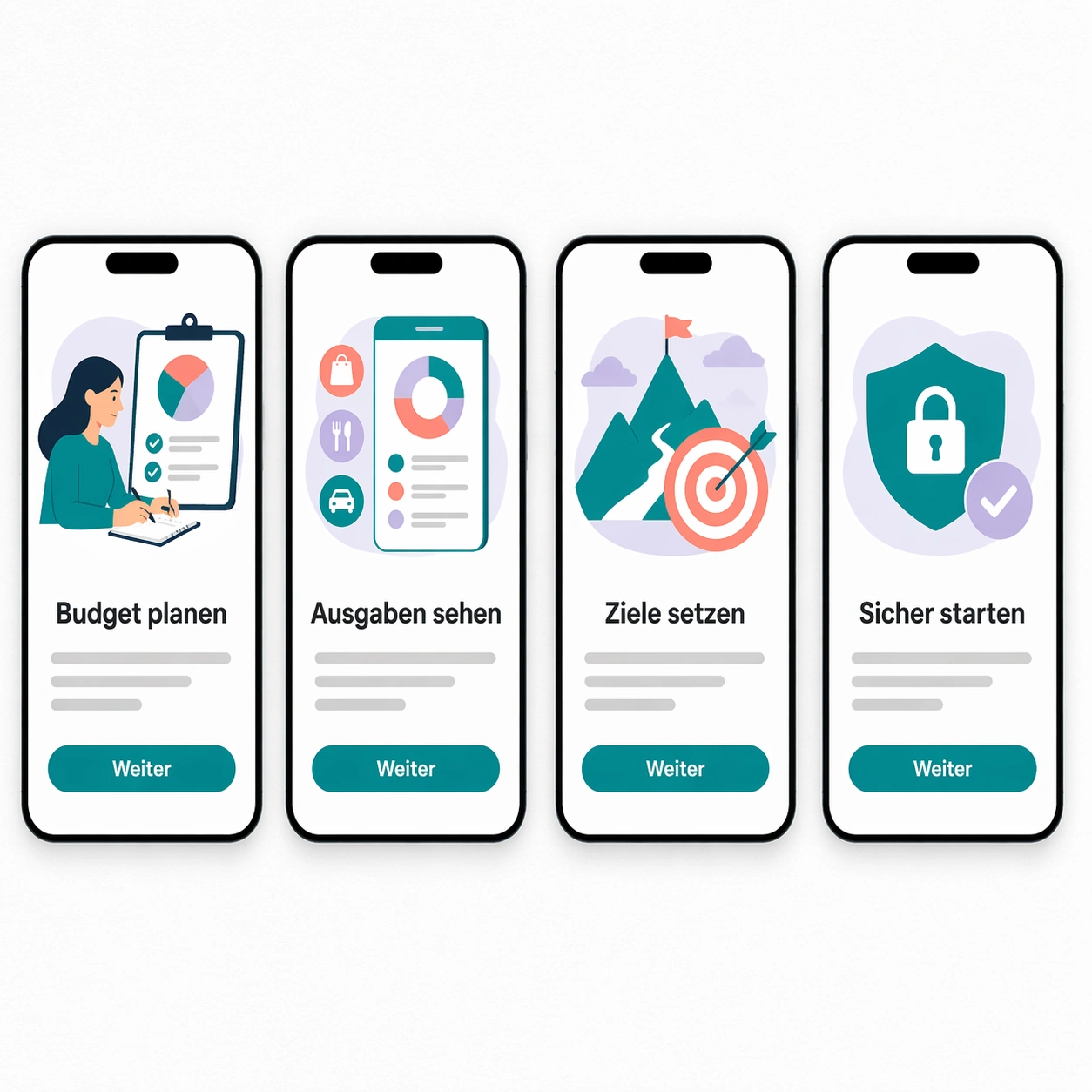
A square product mockup showing four mobile app onboarding screens laid out on a white design board. The board is viewed straight-on with subtle paper grain, soft shadows under each phone frame, and a restrained digital palette of black, white, teal, coral, and pale lavender. Each screen has an illustration area, a headline, a short body line, and one pill-shaped button.

Subject:
Create a German localization of a calm finance app onboarding sequence. The exact readable German text must be: Budget planen, Ausgaben sehen, Ziele setzen, Sicher starten, Weiter. Use Budget planen, Ausgaben sehen, Ziele setzen, Sicher starten as the four screen headlines, and Weiter as the button label repeated once per screen. Body text should be represented by non-readable gray placeholder lines only, not real words. The phones should look like a polished UI handoff, with identical layout between screens.

Important details:
The translation task is to keep UI hierarchy stable despite longer German compounds. Headlines must fit their existing containers without squeezing awkwardly, buttons must keep the same width and radius, and screen spacing must stay even. Preserve all icon and illustration areas, maintain consistent font weight, and keep the localized text crisp enough to audit.

Use case:
In-Image Translation single study 8/8, testing app UI localization where translated strings must fit repeated screen templates.

Constraints:
No readable text except the specified German strings, no watermark, no logos, preserve exact 1:1 aspect ratio, no app brand, no real currency symbols, no extra UI copy, no misspelled German, no overlapping labels.
How to use
- Copy the complete original prompt, including any parameters.
- Replace the subject, text and composition with your own requirements.
- Use a compatible external tool; check its current access conditions and review the result.
Before you start
- Check whether a reference image is required. A compatible model label does not mean this example was generated with that model.
- Keep names, figures and visible text accurate; results can vary between model versions.