原文
GPT Image 2 · en
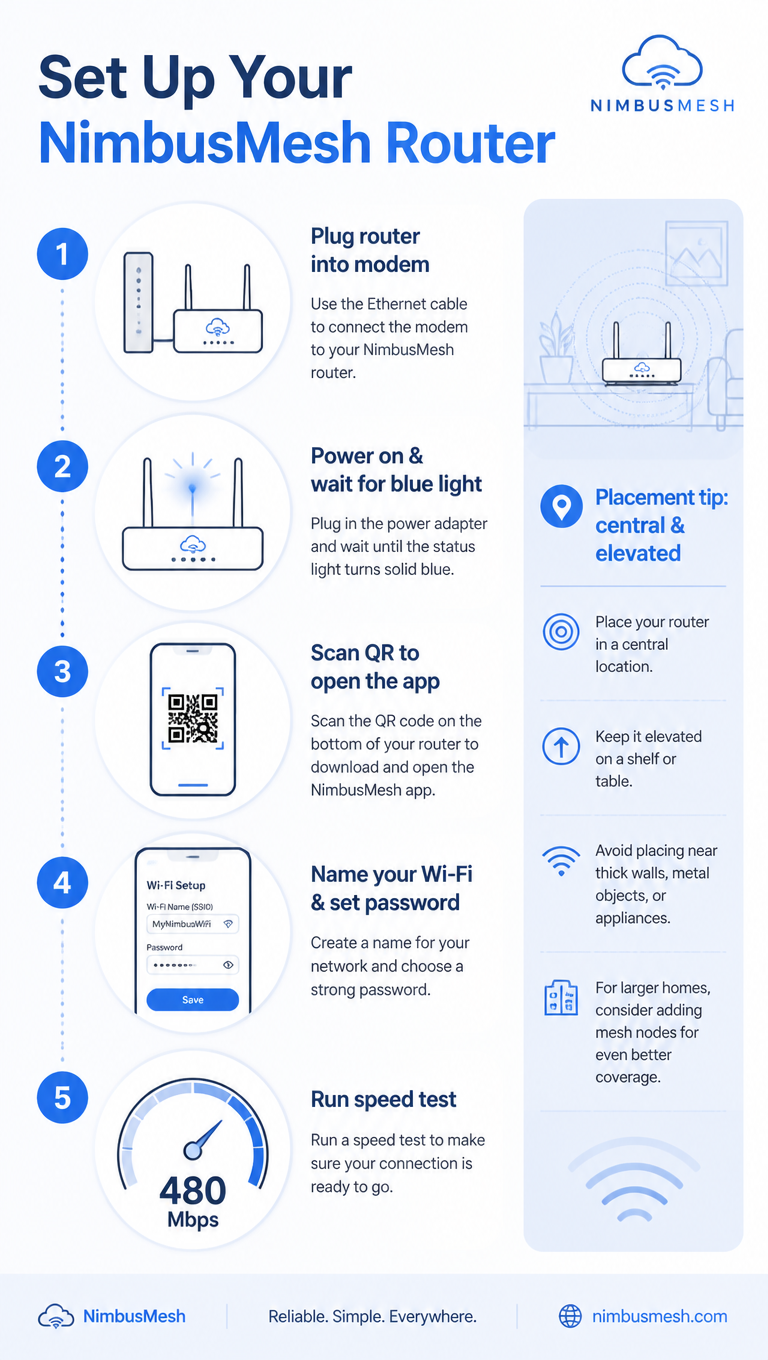
A tech how-to infographic, 9:16, titled 'Set Up Your NimbusMesh Router'. Five numbered steps in a clean vertical flow: 1 Plug router into modem, 2 Power on & wait for blue light, 3 Scan QR to open the app, 4 Name your Wi-Fi & set password, 5 Run speed test (shows 480 Mbps). Each step pairs a flat line icon with concise text and a connecting dotted line. A sidebar note 'Placement tip: central & elevated'. Cool blue-and-white palette, rounded device icons, subtle signal-wave motifs, clean minimalist tech-guide aesthetic.使い方
- パラメータを含む元のプロンプト全体をコピーします。
- 被写体、文字、構図を自分の要件に置き換えます。
- 対応する外部ツールで使用し、利用条件と結果を確認します。
開始前の確認
- 参考画像の要否を確認してください。互換モデルの表示は、そのモデルでの生成実績を意味しません。
- 名前、数値、画像内の文字を確認します。モデルの版で結果は変わります。