Documento original
GPT Image 2 · en
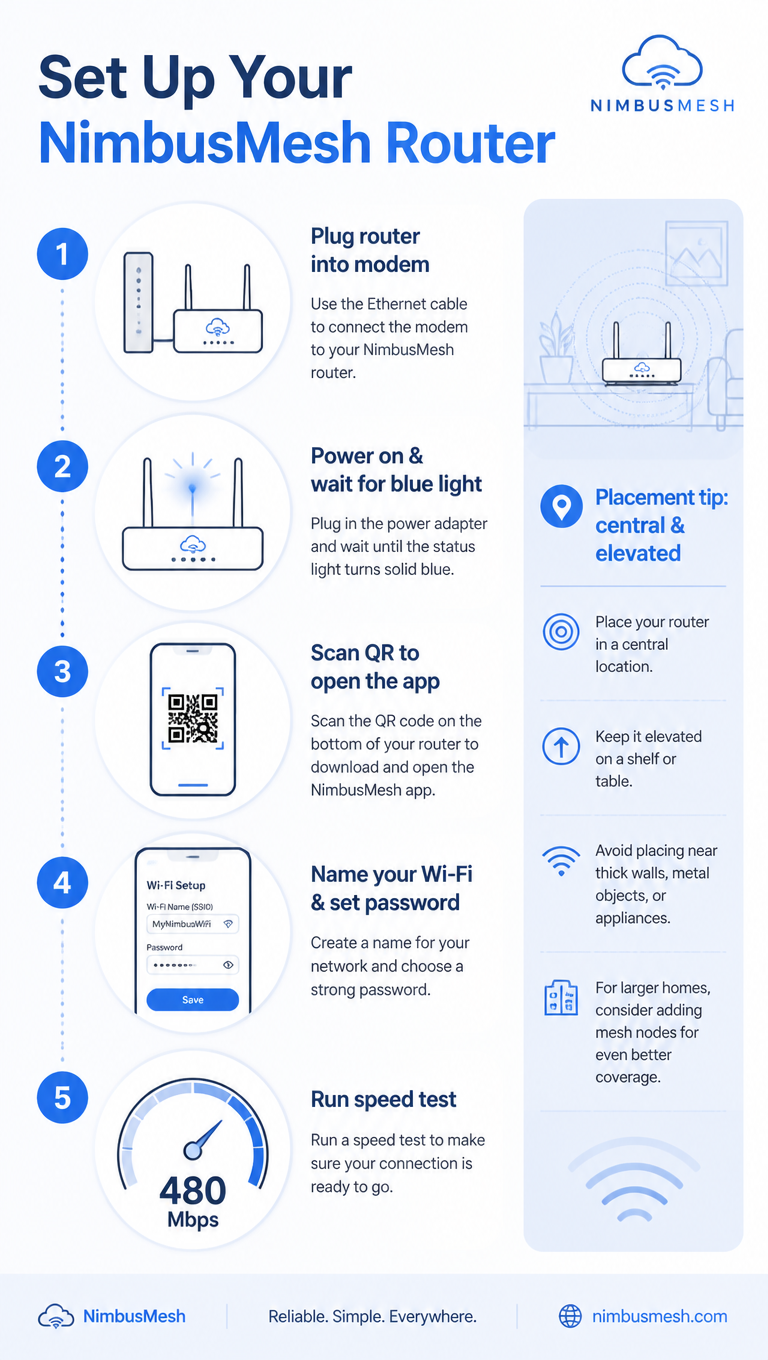
A tech how-to infographic, 9:16, titled 'Set Up Your NimbusMesh Router'. Five numbered steps in a clean vertical flow: 1 Plug router into modem, 2 Power on & wait for blue light, 3 Scan QR to open the app, 4 Name your Wi-Fi & set password, 5 Run speed test (shows 480 Mbps). Each step pairs a flat line icon with concise text and a connecting dotted line. A sidebar note 'Placement tip: central & elevated'. Cool blue-and-white palette, rounded device icons, subtle signal-wave motifs, clean minimalist tech-guide aesthetic.Como usar
- Copie o prompt original completo, incluindo os parâmetros.
- Adapte o tema, o texto e a composição aos seus requisitos.
- Use uma ferramenta externa compatível; confira o acesso e o resultado.
Antes de começar
- Verifique se é necessária uma imagem de referência. Compatibilidade não comprova qual modelo gerou o exemplo.
- Confira nomes, números e textos; os resultados variam entre versões do modelo.