원본 문서
GPT Image 2 · en
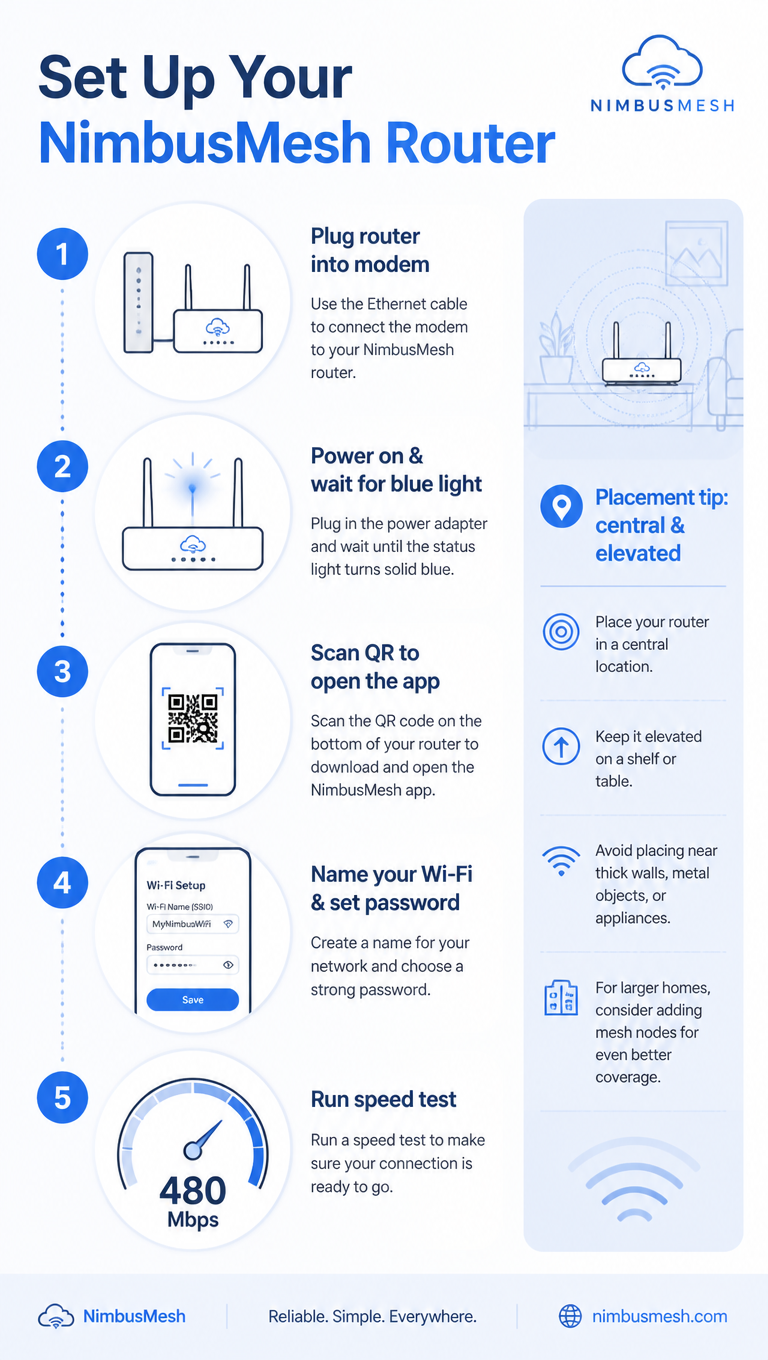
A tech how-to infographic, 9:16, titled 'Set Up Your NimbusMesh Router'. Five numbered steps in a clean vertical flow: 1 Plug router into modem, 2 Power on & wait for blue light, 3 Scan QR to open the app, 4 Name your Wi-Fi & set password, 5 Run speed test (shows 480 Mbps). Each step pairs a flat line icon with concise text and a connecting dotted line. A sidebar note 'Placement tip: central & elevated'. Cool blue-and-white palette, rounded device icons, subtle signal-wave motifs, clean minimalist tech-guide aesthetic.사용 방법
- 매개변수를 포함한 전체 원본 프롬프트를 복사하세요.
- 주제, 문구, 구도를 자신의 요구에 맞게 바꾸세요.
- 호환되는 외부 도구에서 사용하고 이용 조건과 결과를 확인하세요.
시작 전 확인
- 참조 이미지가 필요한지 확인하세요. 호환 표시는 해당 모델로 이 예시를 생성했다는 뜻이 아닙니다.
- 이름, 수치, 이미지 속 문구를 확인하세요. 모델 버전에 따라 결과가 다를 수 있습니다.