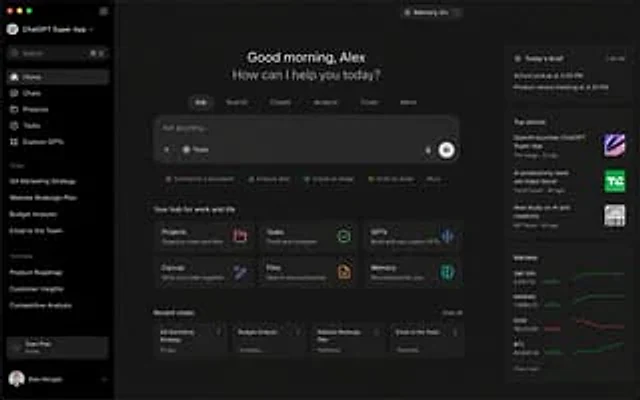
ChatGPT Super App Concept

ChatGPT Super App Concept

원본 문서

GPT Image 2 · en

{argument name="application" default="ChatGPT Super App"} Computer screenshot

사용 방법

  1. 매개변수를 포함한 전체 원본 프롬프트를 복사하세요.
  2. 주제, 문구, 구도를 자신의 요구에 맞게 바꾸세요.
  3. 호환되는 외부 도구에서 사용하고 이용 조건과 결과를 확인하세요.

시작 전 확인

  • 참조 이미지가 필요한지 확인하세요. 호환 표시는 해당 모델로 이 예시를 생성했다는 뜻이 아닙니다.
  • 이름, 수치, 이미지 속 문구를 확인하세요. 모델 버전에 따라 결과가 다를 수 있습니다.
비슷한 예시

ChatGPT App Showing WeChat Moments Screenshot
GPT Image 2en

A realistic screenshot of the ChatGPT mobile app in dark mode, displayed full-screen against a black background with an iPhone-style status bar. The top left side of the status bar shows the time 20:57, while the right side displays small cellular signal, Wi-Fi, and battery icons

Fake Japanese Newspaper in ChatGPT UI
GPT Image 2zh

A realistic screenshot of the ChatGPT Japanese web version on a smartphone, against a clean white background. In the center of the chat interface is a generated image: a photo taken from directly above showing a Japanese newspaper neatly arranged on a dark wooden table, its round

ChatGPT App Screenshot With Generated Portrait
GPT Image 2zh

A realistic screenshot of the ChatGPT mobile app (Japanese version) on an Android device, displayed in portrait full-screen mode with a clean, light-colored theme. The top status bar shows the time 19:27, network and battery icons, and the battery level at 54%. The header has a b