검증된 예시

프롬프트 갤러리

실제 프롬프트와 그 결과 이미지를 함께 확인하고, 전체 프롬프트를 복사해 시작점으로 활용하세요.

이미지 세트
5,541
모델
6
출처
10
5,541 개의 검증된 프롬프트–이미지 세트 · 페이지 72 / 116
Example generated from “Text on Object Test”
GPT Image 2en
Text on Object Test

One{argument name="art style" default="Watercolor illustrations on textured paper"} The protagonist is{argument name="character species" default="White fluffy catgirl"} Keep the short style{argument name="hair color" default="Light green"} She had hair, fluffy cat ears, and big green eyes. She wore an oversized green sweater, and her expression {argument name="expression" default="Confused and distressed, a bead of sweat hung on his forehead."} She was holding a yellow banana, completely covered in {argument name="prop text" default="Dense black Chinese characters similar to the Heart Sutra"} Above and to her left floats a dark, graffiti-like bubble containing tangled black lines and three question marks.

Example generated from “Text Rendering Capability Test”
GPT Image 2en
Text Rendering Capability Test

One with{argument name="text" default="Heart Sutra"} of{argument name="fruit" default="banana"}

Example generated from “Themed Periodic Table Design”
GPT Image 2en
Themed Periodic Table Design

{argument name="subject" default="Pokémon"} Periodic table

Example generated from “Themed Periodic Table Design”
GPT Image 2en
Themed Periodic Table Design

the periodic table of {argument name="subject" default="Pokémon"}

Example generated from “Themed Routine Timeline Infographic”
GPT Image 2en
Themed Routine Timeline Infographic

Please create a detailed step-by-step timeline showing the timeline from 9 PM to 10 PM.{argument name="routine type" default="bed time routine"} Style needs to be referenced{argument name="style" default="The Beatles"}

Example generated from “Thermal Receipt Table Lamp Poster”
GPT Image 2en
Thermal Receipt Table Lamp Poster

Goal: Create a bold experimental product poster for a design-object announcement, combining an extreme cropped typography background with a thermal receipt layout overlay. Canvas: Vertical poster, 4:5 aspect ratio, off-white outer margin around a saturated hot-pink rectangular field. Use a clean print-design composition with slight risograph/thermal-paper grain and subtly imperfect ink edges. Layout: Place one huge cream-white uppercase background title reading {argument name="product name" default="TABLE LAMP"}, spanning nearly the full width across the upper third; crop the letters heavily at the left and right edges so the title feels oversized and partially hidden. Center-right, overlay exactly one tall narrow cream thermal receipt running from near the top to near the bottom, with zigzag torn edges at the top and bottom. Add one thin vertical microtext line beside the receipt, rotated 90 degrees, reading like an archive/design ID. Along the bottom of the pink field place exactly two separate cream barcode blocks, one at bottom left and one at bottom right. The receipt itself contains exactly one black barcode near its bottom. Receipt details: The receipt header has a large condensed black title {argument name="receipt header" default="TABLE LAMP"}. Under it, include the subtitle “AESTHETICS, SWITCHED ON”. Fill the receipt with monospaced thermal-printer text, dashed divider lines, and pseudo-transaction metadata. Include design-spec lines such as design registration number, date, time, terminal, transaction, attendant, product, object type, form study, material study, surface finish, light quality, curve ratio, form revision, assembly check, aesthetic value, archive index, subtotal, tax, payment method, authorization, thank-you note, return policy, and “KEEP THIS LIGHT RECEIPT”. Highlight exactly one line in a translucent pink marker strip: “GRAND TOTAL--BEAUTY, SWITCHED ON”. Subject image on receipt: At the lower half of the receipt, print exactly one cute glossy flower-shaped table lamp illustration with a pink fluted pedestal stem, six rounded pink petals, a blue inner glow, a small orange-red circular center, and a thin pale power cord trailing left. Keep it centered above the receipt barcode. Typography and style: Use condensed bold sans-serif for the massive background title, monospaced receipt type for all receipt text, black ink on warm cream paper, and a fashionable editorial graphic-design aesthetic. Main colors are {argument name="background color" default="hot pink"}, cream white, black, soft pink, blue, and orange-red. The image should feel like a modern poster generated from the structural idea of a thermal-paper receipt, not a realistic store receipt photo. Constraints: Use exactly 3 visible barcodes total: 2 large background barcode blocks and 1 receipt barcode. Use exactly 1 receipt, exactly 1 product illustration, and exactly 1 highlighted grand-total line. Do not add people, logos, watermarks, QR codes, extra products, or extra receipts.

Example generated from “Thoughtful Systems Presentation Cover”
GPT Image 2en
Thoughtful Systems Presentation Cover

Create a sophisticated, editorial-style presentation cover slide using a warm Claude-inspired design system. Use a 16:9 landscape composition with a parchment background featuring delicate paper textures, soft shadows, and layered torn paper collage elements. The overall color scheme should consist of warm ivory, cream, sand, charcoal gray, soft black, and terracotta accents. Place a small label on the left side displaying "..."{argument name="system label" default="Claude-style presentation system"} The title is accompanied by a small terracotta dot and a thin horizontal dividing line. Below it is an oversized, elegant, high-contrast serif heading in black, containing the text "".{argument name="main headline" default="Thoughtful Systems"} The heading, divided into two lines, occupies the main position on the left. Below the heading, add a smaller terracotta-colored serif subheading with the content "{argument name="subheadline" default="Warmth can also be precise."} Below this, create a vertical list containing four design principles, each on a separate line with thin dividing lines and small icons on the left: 1) A rectangular parchment icon with the text "Parchment Canvas"; 2) A serif capital T icon with the text "Serif-dominated hierarchy"; 3) A filled terracotta circle icon with the text "Terracotta for cues"; 4) A chain icon with the text "Organic charts over cold metallic feel". Add a small footer in the bottom left corner with "CLAUDE-INSPIRED PRESENTATION SYSTEM" in widely spaced lowercase letters. In the right half, construct a list of three... A layered collage of paper cards: The first is a tall, off-white art card with a thin border, containing the title "A More Thoughtful Approach," a short text about how complex problems become clearer, a minimalist landscape line drawing with a terracotta sun, and a vertical terracotta plant branch overlaid on the card; the second is a dark charcoal gray rectangular card behind it, with the lowercase title "Thinking Process" and a precise five-step numbered list: "01 Observe," "02 Interpret," "03 Connect," "04 Synthesize," and "05 Act with Care," as well as a delicate circular track diagram with dotted lines and terracotta highlights; the third is a torn-edge off-white sticky note near the bottom front, featuring a hand-drawn overlapping circle diagram, with a crescent-shaped intersection filled in terracotta, next to a handwritten quote:{argument name="quote" default="Clarity becomes apparent when a system is intentionally designed."} Insert an extra light beige strip of paper below the bottom card. Emphasize tactile realism, elegant white space, exquisite printing and editing, soft natural lighting, and a calm, thoughtful, luxurious technological atmosphere.

Example generated from “Three Beauty Mobile Landing Pages”
GPT Image 2en
Three Beauty Mobile Landing Pages

A sophisticated promotional mockup showcases three elongated smartphone screens side-by-side in a vertical triptych layout, each displaying a landing page for a modern beauty brand's lip products. The overall composition is editorial, minimalist, and sophisticated, designed specifically for mobile web design presentations on social media. The left panel, set against a soft gradient background from pale purple to blush pink, displays a black-bezeled phone with a screen featuring {argument name="brand name" default="Kosas"} A beauty website featuring cream-toned blushes. At the top of the panel, elegant small serif fonts read {argument name="left headline" default="Fresh Pout."} The top of the phone screen displays a cropped close-up image of a beauty product, with the prominent headline "Lips in their fullest expression." (The word "fullest" is in italic serif style), accompanied by a rounded, dark call-to-action button, a row of three lip close-up thumbnails, three effect labels labeled "Plumps," "Tingles," and "Shines," and a row of five shade or effect icons below. The middle panel, set against a gradient background from light to dark purple, showcases a second phone with a black bezel, whose landing page has a more sophisticated layout. The serif font above reads {argument name="middle headline" default="Claude Code"} The top of the screen features a cropped portrait image, a striking black stacked headline "LIP PULSE.", below which is a line of pink italicized handwritten text "is here.", a rounded dark button, a dark area containing the phrase "Lips in their fullest expression.", and a product grid near the bottom containing six color code cards (arranged in 2 rows and 3 columns). The right panel, set against a deep navy blue textured background, showcases a third phone with a black bezel, its page featuring a pink-toned e-commerce style. At the top center, in uniform white font, is the text {argument name="right headline" default="GPT Images 2.0"} The screen prominently displays the product's homepage area, featuring the brand name "Kosas," the large headline "The Lip Pulse," a pink lip gloss tube tilted to the right, small function icons, a row of six lip swatches near the center, and a promotional section below with images of more pink products. Maintaining a symmetrical layout, exactly three phones are positioned vertically, one on each panel, all fully visible. It employs high-end cosmetics advertising aesthetics, clean spacing, a stylish web typography with a mix of serif and bold sans-serif fonts, a soft pink and cream UI color scheme, subtle shadows, and a fashionable product design suitable for showcasing an AI-generated mobile website concept.

Example generated from “Three Floral Chickens Portrait”
GPT Image 2en
Three Floral Chickens Portrait

A whimsical studio portrait showcases three stylized chicks composed entirely of layered petals and flowers. They stand side-by-side against a light gray background, bathed in soft, even light light with subtle shadows on the ground. The chick on the left, cream and ivory, is composed of light-colored petals and small white wildflowers. It has a surprised expression, large, round, comical eyes, a small, light-colored comb, drooping pink wattles, and slender yellow legs. The middle chick is plump and rounded, composed of dense pink petals and flowers in varying shades. It has a serious and slightly disgruntled expression, squinting eyes, a large, light-colored beak, oversized pink wattles, and a pink flower-like comb drooping from its forehead. The chick on the right is bright orange and gold, composed of vibrant orange petals and marigold-like flowers, dotted with a few green leaves and yellow shoots. It has a sleepy and disdainful expression, half-closed eyes, a tall, reddish-orange comb, red wattles, and yellow legs. These three chicks are highly detailed, cute, quirky, and handcrafted, with realistic floral patterns arranged into convincing chicken body structures. The use of centered composition, full-body perspective, and clean, minimalist background presents an exquisite and fantastical editorial photography aesthetic.

Example generated from “Three-Panel AI Billboard Comparison”
GPT Image 2en
Three-Panel AI Billboard Comparison

Goal: Create a clean comparison graphic showing three AI-generated urban billboard photos side by side, as if comparing image model outputs. Canvas: Wide 16:9 presentation slide with a warm off-white background and generous margins. Place three tall vertical photo panels evenly spaced across the canvas, each framed by a pale beige mat/border. Under each panel, add a centered caption. Layout: Exactly 3 vertical street-photo panels in one row. Panel 1 on the left, Panel 2 in the center, Panel 3 on the right. Each panel shows a realistic New York City street scene with parked cars in the foreground, tall buildings, sidewalks, traffic signs, and a large square billboard mounted high on a building. Use slightly different street angles and lighting in each panel, like three separate model outputs of the same concept. Panel details: Left panel: a rear view of a black SUV parked on a city street, looking toward storefronts and buildings; a large white billboard above the street reads like a social-media quote card with a small circular animal avatar, the heading “What do you think?”, a short quote, and small ChatGPT branding. Center panel: a black SUV parked on a narrow Manhattan street with the Empire State Building visible in the distance; a large dark billboard with white text, a circular animal avatar, and ChatGPT branding. Right panel: a black sedan parked along a busier avenue with storefront signs such as “I ♥ NY GIFTS”; a large black billboard with a bright cyan border, white quote text, a circular animal avatar, and ChatGPT branding. Caption text: Use exactly 3 captions beneath the panels. Left caption: “ChatGPT Images 2.0” on the first line and “MEDIUM” in bold quotation marks on the second line. Center caption: “mona-lisa-1” in bold quotation marks. Right caption: “ChatGPT Images 2.0” on the first line and “HIGH” in bold quotation marks on the second line. Customizable text slots: The comparison labels should read {argument name="left model label" default="ChatGPT Images 2.0"}, {argument name="center model label" default="mona-lisa-1"}, and {argument name="right model label" default="ChatGPT Images 2.0"}. The left quality tag should be {argument name="left quality tag" default="MEDIUM"} and the right quality tag should be {argument name="right quality tag" default="HIGH"}. Visual style: Photorealistic smartphone street photography inside each panel, but arranged as a polished social-media comparison slide. Keep the overall slide minimal, with no decorative graphics beyond the three framed images and their captions. The billboard text inside the photos may be small and partially imperfect, but it should clearly resemble AI quote-card advertising with ChatGPT logos.

Example generated from “Three-Panel Chinese Aesthetic Model Comparison”
GPT Image 2en
Three-Panel Chinese Aesthetic Model Comparison

Goal: Create a vertical three-panel comparison collage showing the same Chinese traditional aesthetic portrait generated in three different styles. Canvas: Portrait format, approximately 4:5 aspect ratio, 960×1200 feel. Divide the image into exactly 3 equal horizontal panels separated by thin white horizontal lines. Overall subject: In all three panels, show the same young East Asian woman in a warm, cinematic ancient Chinese interior, wearing a soft ivory hanfu robe. She is adjusting a peach-pink flower hair ornament near her ear with both hands. Her black hair is loosely pinned up with wispy strands around her face. The atmosphere is golden-hour, backlit, romantic, and traditional, with wooden lattice windows behind her, soft haze, shallow depth of field, warm sunlight, and floating flower petals or dust motes. Panel count and labels: Use exactly 3 panels with large white sans-serif text labels in the lower-left area of each panel: 1) “Midjourney V8.2” on the top panel, 2) “GPT-Image 2” on the middle panel, 3) “Seedream 5.0 Pro” on the bottom panel. Top panel: Label “Midjourney V8.2”. Make this the most dramatic and cinematic version: stronger contrast, moody shadows, glowing rim light, more dynamic pose, windblown hair, petals crossing the foreground, refined facial features, realistic skin texture, premium film still quality. The woman faces slightly toward camera with a serious, elegant expression while placing the flower by her ear. Middle panel: Label “GPT-Image 2”. Make this cleaner and softer, with a slightly polished beauty-retouch look. The woman is turned three-quarters to the right, looking sideways while carefully adjusting the flower. Keep warm window light, cream hanfu fabric with subtle embroidered floral details, and a more smooth, influencer-like face. Bottom panel: Label “Seedream 5.0 Pro”. Make this brighter and slightly more plastic/smooth than the top, with a gentle smile and softer realism. The woman holds the peach flower close to her ear, looking down-left or sideways, with intense backlight from the lattice window and a glowing edge around her hair and hands. Text styling: Large white text, simple sans-serif, no outline, subtle shadow if needed for readability. Place each label consistently near the bottom-left of its panel. Do not add any other text, logos, watermarks, or UI elements. Customizable details: The subject is {argument name="subject description" default="a young East Asian woman in ivory hanfu"}; the setting is {argument name="setting" default="a warm ancient Chinese room with wooden lattice windows"}; the hair accessory is {argument name="hair flower" default="a peach-pink flower"}; the top label is {argument name="top model label" default="Midjourney V8.2"}; the middle label is {argument name="middle model label" default="GPT-Image 2"}.

Example generated from “Three-View Hooded Fantasy Dress Sheet”
GPT Image 2en
Three-View Hooded Fantasy Dress Sheet

{"type":"Clothing Reference Image","subject":{"garment":"Children's Fantasy Hooded Dress and Cape Set","model":{"age_appearance":"Little Girl","hair":{"color":"}}}}{argument name="hair color" default="Golden yellow"} ","style":"Long, wavy hair peeking out from under the hood"},"face":"Deliberately blurred, indistinct","pose":"Standing upright, arms hidden under the cloak, barefoot"},"outfit":{"primary_color":"{argument name="outfit color" default="Deep Navy Blue"} ","inner_dress":"Floor-length dress, square neckline, light-colored trim, silver embroidery with floral vines and small stars on the front, asymmetrical embroidered hem details, revealing a light gray-blue tulle petticoat at the bottom","cape":"Full-length hooded cape, color matching the dress, light-colored floral trim on the hood brim, front opening, side vertical borders, and hem","decorations":{"count":5,"items":["Silver floral vine embroidery","Small star pattern","Chain beaded floral wreaths hanging from the chest and back","Two hanging from the top of the front and back"] "A white tassel", "Light silver-white geometric lace trim"]},"accessories":{"count":1,"items":["Dark choker necklace"]}},"studio":{"background":"Pure light gray studio background wall","floor":"Mid-toned wood flooring","lighting":"Soft and even catalog lighting","framing":"Full-body, centered, consistent proportions across all views"},"layout":{"background":"White page containing three vertical image panels","sections":[{"title":"Front view","position": "Left","count":1,"labels":["Front View"]},{"title":"Side View","position":"Center","count":1,"labels":["Side View"]},{"title":"Back View","position":"Right","count":1,"labels":["Back View"]}],"total_views":3},"style":"Concise clothing document photos, e-commerce clothing specification sheets, high-detail fabric textures, realistic pleats, accurate clothing structure, symmetrical display","instructions":"Create a three-view clothing reference image to display..."{argument name="garment name" default="Children's Navy Blue Fantasy Hooded Dress"} Includes front, side, and back views. Add Japanese titles above the three panels for front, side, and back illustrations. Emphasize the pointed hood, silver trim, embroidered celestial and floral motifs, draped chain details, tassels, and layered tulle hem. Keep faces blurred and backgrounds clean, maintaining an overall professional clothing catalog image style.

Example generated from “TikTok Streamer UGC Style Prompt”
GPT Image 2en
TikTok Streamer UGC Style Prompt

UGC style, random{argument name="subject" default="Young female anchor"} In progress{argument name="platform" default="TikTok"} Live broadcast

Example generated from “TikTok-Style Video Interface Mockup”
GPT Image 2en
TikTok-Style Video Interface Mockup

{ "type": "Short video application interface model", "background_image": { "subject": "{argument name=\"subject description\" default=\"A young Japanese woman with long, wavy, dark brown hair and wispy bangs, wearing a white ribbed top and soft, natural makeup, smiles gently at the camera.\"}", "setting": "A cozy bedroom with a backdrop of a bed, wooden shelves, and dried flowers, bathed in soft natural light, perfect for a selfie." }, "ui_overlay": { "top_bar": { "left": "LIVE icon", "center": "Follow |{argument name=\"active tab\" default=\"recommend\"}", "right": "Search icon" }, "right_sidebar": { "count": 6, "elements": [ "Avatar with a pink plus badge", "With{argument name=\"like count\" default=\"12.4K\"} heart icon", "Bubble icon with 356", "With 1,289 bookmark icons", "Share arrow icon with 204 error", "Rotating vinyl record icon" ] }, "bottom_left_caption": { "username": "{argument name=\"username\" default=\"@Yui | Just a little bit of everyday life ♡\"}", "description": "{argument name=\"caption text\" default=\"Thank you for watching today! ☺️ Have a wonderful day! 🕊️\"}", "audio_track": "🎵 Original Music - Yui" }, "bottom_navigation": { "count": 5, "labels": [ "recommend", "friend", "Create button", "information", "Personal information" ] } } }

Example generated from “Tim Cook MMO Raid Boss Screen”
GPT Image 2en
Tim Cook MMO Raid Boss Screen

Create an illustration with a cinematic fantasy MMO raid boss loading screen style, complete with a full custom game UI overlay. The scene is set at dusk, with a glass cube Apple Store in the background, featuring a glowing white Apple logo in the center of the building's facade. A massive raid boss version stands in the center of the plaza.{argument name="boss name" default="Tim Cook"} The boss, labeled "The Architect," is dressed in a fitted black turtleneck sweater, dark trousers, and sneakers. He holds a glowing smartphone in one hand, while the other is casually outstretched. His face is blurred or anonymized. The overall tone is epic, satirical, and high-quality, resembling a combination of a World of Warcraft raid encounter interface and corporate tech parody. Around him, 20 fantasy raid players form a semi-circle facing the boss, including armored warriors, rogues, mages, shamans, hunters, and silhouettes of various races such as orcs and humans. Several are casting bright spells, including orange flames, blue lightning, green energy, and purple void magic. Three small robotic adds appear near the boss, each labeled "Supplier Add," with a short, stout, industrial-style body and an Apple logo on the front. In addition, two active combat mechanic bubbles have been added: a blue spherical shield labeled "Margin Shield" to the right of the boss, and a purple circular dome labeled "Closed System" further to the right, trapping a humanoid enemy inside. The imagery is designed to form the complete raid UI. Top left: A large expansion-style title page reading "SIEGE OF THE INFINITE LOOP," with the subtitle "20-MAN HORDE RAID." Far left: A vertical "RAID FRAMES" panel listing the names of 20 players (numbers 1 to 20) with colored health bars. Top center: A boss portrait frame displaying the boss's name.{argument name="boss name" default="Tim Cook"} The subtitle is "Architect," and there's a 100% red health bar. Top right corner: A large skirmish guide panel titled "Skirmishes:..."{argument name="boss name" default="TIM COOK"} – "Architect", comprising 3 phases. Phase 1, titled "Supply Chain Domination (100% – 70%)", includes 3 skills: "Logistics Surge – Summons a wave of supplier minions," "Margin Shield – Reduces damage taken by 40% for 10 seconds," and "Quarterly Pressure – A stacking debuff that explodes if not dispelled." Phase 2, titled "Ecosystem Lockdown (70% – 30%)", includes 3 skills: "Closed System – Isolates 3 players, requiring puzzle-solving to return," "Subscription Drain – Deals continuous damage to the entire raid," and "Device Sync – Gather in the correct formation to avoid spike damage." Phase 3, titled "ONE MORE THING (30% – 0%)", includes 3 skills: "Surprise Launch – Deals massive area-of-effect damage every 20 seconds." "Reality Distortion Field – Briefly reverses control." and "Enrage: Market Collapse – The Boss goes berserk after 3 minutes." Bottom right: A "Potential Loot" panel lists four items with rarity-colored text: "Effective Executive Cloak (Epic)," "Press Conference Blade (Epic)," "Ecosystem Ring (Epic)," and "Investor Favor (Reward – Hard Mode)." Below this is a small red and black badge that reads "HARD MODE," along with the text "Activate 'Investor Conference Call' during combat," the rest of the text is truncated or obscured. Bottom left: A "Chat" box contains four lines of text, including the Boss's taunts and player replies, such as "..."{argument name="boss quote" default="Tim Cook shouted: Innovation. Discipline. Excellence. That's how we win."} "Tim Cook shouts: Our ecosystem is indestructible." "Tim Cook shouts: One more thing..." "Lok'tarbrok: Lok'tar ogar!" Bottom center: A fantasy action bar containing skill icons in 12 decorative slots, some with numbers, some displaying cooldown text, including "2m" and "1m". Utilizing dramatic volumetric lighting, glossy reflections on a wet plaza, realistic environment rendering, highly detailed fantasy characters, exaggerated spell effects, vignetting, clean UI typography, and exquisite AAA-level game key visual composition.

Example generated from “Time-lapse Timeline Landscape Prompt”
GPT Image 2en
Time-lapse Timeline Landscape Prompt

Using a curved timeline of sunset and sunrise, to display{argument name="location" default="Fenghuang Ancient Town"} The scenery 24 hours a day.

Example generated from “Tiny Planet Aerial of Canakkale”
GPT Image 2en
Tiny Planet Aerial of Canakkale

A visually striking ultra-wide-angle aerial photograph of a "small planet," taken in Turkey.{argument name="city name" default="Çanakkale"} The image uses a 360-degree panoramic stereoscopic projection, merging the city and seaside into a compact spherical world surrounded by blue skies and white clouds. The shooting perspective is high above the coastline, presenting a bright daytime effect with clear light, true colors, and rich photographic detail. [The last part, "Will be written...", appears to be an unrelated fragment and is left untranslated.]{argument name="landmark sign text" default="Çanakkale"} A large, prominent slogan on a hillside is positioned at the center of the miniature planet. In the upper left quadrant, a towering, light-colored stone clock tower, topped with a red Turkish flag, is surrounded by densely packed red-tiled city blocks and mid-rise buildings. To the right, a vast blue harbor unfolds, with two white passenger ships moored along the shore, and a long coastline stretching into the distance. In the lower right quadrant, a magnificent dark wooden Trojan horse statue stands in a circular plaza. In the lower left quadrant, a large rectangular concrete monument sits within a green park. The planet's surface is covered with winding walkways, lawns, trees, and landscaped gardens, with city streets and a seaside promenade visible at the edges. The composition employs a highly realistic drone photography style, featuring deep depth of field, sharp textures, and a slight, exaggerated fisheye distortion due to the "mini-planet's" projection. The overall composition presents a grand, poster-like feel, emphasizing the stark contrast between the green park, historical landmarks, and the shimmering sea.

Example generated from “Tiny Traveler on Giant Latte”
GPT Image 2en
Tiny Traveler on Giant Latte

Create a whimsical photorealistic vertical image of a tiny miniature {argument name="character description" default="young man with curly dark hair, wearing a red-and-black plaid flannel shirt, dark cuffed jeans, brown lace-up boots, and an olive backpack"} sitting on the rim of an oversized speckled ceramic latte cup. The character sits with legs dangling over the front of the mug, hands resting near the knees, looking thoughtfully upward to the right. The giant cup is filled with creamy latte art and visible soft steam rising from the surface, with the handle on the right. Set the scene on a warm wooden kitchen table in a cozy sunlit kitchen, using shallow depth of field, golden morning light, cinematic realism, soft bokeh, and detailed textures. Include exactly 1 miniature person, 1 oversized latte cup, 1 wooden spoon in the foreground, 1 bowl filled with coffee beans on the left, 2 croissants on small plates, 3 chocolate chip cookies on plates, and scattered roasted coffee beans across the tabletop. In the blurred background include a bright window, potted plants, a sink and faucet, wooden counters, kitchen utensils, a cutting board, and a stove, all softly out of focus. Mood: magical, cozy, viral miniature-world aesthetic, ultra-detailed, realistic lighting, vertical 9:16 composition, no text, no watermark.

Example generated from “Toddler Crayon Office Selfie”
GPT Image 2en
Toddler Crayon Office Selfie

Using the two provided office selfie references, transform the scene into a square 1:1 drawing that looks like it was made by a child about 3 years old with crayons on white drawing paper. Use the references only for the composition, person/object placement, broad color choices, and background balance; do not recreate anything photorealistically. Keep the woman seated close to the camera in the office, with dark brown hair, a white blouse, the desk and monitor on the left, office shelves/files and coworkers in the background, and the overall selfie-like framing. Render everything as an enthusiastic toddler crayon drawing: rough scribbly outlines, uneven proportions, simple shapes, messy coloring outside the lines, visible wax texture, naive perspective, and incomplete details. Preserve the face-obscuring square as a flat skin-tone block over the face. Make the pose closer to REFERENCE_0, without the peace-sign hand from REFERENCE_1. Keep the palette simple and crayon-like, with white paper visible, no realistic lighting, no polished illustration style, no text, no watermark.

Example generated from “Toddler Daily Routine Flashcard Grid”
GPT Image 2en
Toddler Daily Routine Flashcard Grid

{ "type": "{argument name=\"theme\" default=\"Daily Routine Flashcards\"}", "style": "{argument name=\"style\" default=\"Adorable children's book illustration style, soft macaron colors.\"}", "character": "{argument name=\"character\" default=\"A toddler girl with two small braids and short brown hair.\"}", "layout": { "grid": "2x5 grid", "elements_per_panel": [ "Number Circle", "title", "Scene", "Question banner with magnifying glass icon" ] }, "panels": [ { "id": 1, "title": "Baby, wake up!", "scene": "Wake up, the sun, teddy bear", "question": "Where is the baby?" }, { "id": 2, "title": "Baby is brushing teeth", "scene": "Brushing teeth, blue pajamas", "question": "Where is the toothbrush?" }, { "id": 3, "title": "Baby eating breakfast", "scene": "Eat toast and eggs, apple bib", "question": "What is the baby eating?" }, { "id": 4, "title": "Baby's going out!", "scene": "Yellow jacket, schoolbag, door", "question": "Where is the door?" }, { "id": 5, "title": "Baby is playing with a ball", "scene": "Playing football outdoors, butterflies", "question": "Where is the ball?" }, { "id": 6, "title": "The baby is drinking water", "scene": "Drink water from a sippy cup", "question": "Where is the cup?" }, { "id": 7, "title": "Baby's eating time!", "scene": "Rice, cherry bib, plate", "question": "Where is the spoon?" }, { "id": 8, "title": "Baby is taking a bath", "scene": "Bathtub, bubbles, little yellow duck", "question": "Where are the bubbles?" }, { "id": 9, "title": "The baby is reading a book", "scene": "Reading a book on a beanbag chair", "question": "Where is the book?" }, { "id": 10, "title": "Baby is sleeping.", "scene": "Sleeping in bed, the window at night.", "question": "Is the baby's eye closed?" } ] }

Example generated from “Tokusatsu Fashion Magazine Style”
GPT Image 2en
Tokusatsu Fashion Magazine Style

{argument name="style" default="Fashion magazine style"} {argument name="theme" default="Special Feature Article Style"}

Example generated from “Tokusatsu Hero Reference Sheet”
GPT Image 2en
Tokusatsu Hero Reference Sheet

{ "type": "Japanese Tokusatsu Hero Design Reference Image Collection", "style": "High-end industrial concept art, sophisticated sci-fi character profiles, a minimalist white studio showcasing projects, and realistic CG renderings with sharp mechanical details and glossy metallic surfaces.", "subject": { "franchise": "Original fictional tokusatsu hero", "character name": "{argument name=\"character name\" default=\"Heavy Armored Mech Kablazer\"}", "theme": "Armored Insect Motorcycle Heroes based on the rhinoceros beetle theme", "color scheme": { "primary": "{argument name=\"armor color\" default=\"Deep metallic deep red\"}", "secondary": "Black carbon fiber bodysuit", "accent": "Cyan glowing lines and lenses", "metal": "Gunmetal and silver" }, "hero design": { "helmet": "A streamlined armored helmet with upward-curving rhinoceros horns, segmented visor, bright blue compound eye goggles, and a highly aggressive mechanical jaw area.", "body armor": "The heavy, layered breastplate, shoulder armor, forearm armor, thigh armor, greaves, and knee armor feature sharply angled panels, scratches, vents, and luminous blue seams.", "undersuit": "Matte black textured tactical uniform between armor plates", "belt": "Large transformation belt with a circular luminous core device at its center." }, "vehicle": { "type": "Futuristic superbike", "design": "The matching deep red armored motorcycle features a rhinoceros beetle-horn front fairing, cyan headlights, a black mechanical frame, gold front forks, aerodynamic side panels, and an aggressive racing silhouette." }, "weapon": { "name": "Horned Blade Gun", "design": "A hybrid bladed gun weapon featuring a rhinoceros beetle horn theme, presented in two modes, with a red armored shell, black grip, metallic mechanical internal structure, and a circular core near the rear." } }, "layout": { "orientation": "Vertical", "page": "Single-page reference/specification manual with thin gray dividers and black section titles.", "sections": [ { "title": "front of the whole body", "position": "Top of left column", "count": 1, "labels": [ "Full body front" ] }, { "title": "Three-view diagram", "position": "upper middle", "count": 2, "labels": [ "Back view", "side view" ] }, { "title": "Transformation Belt", "position": "upper right", "count": 1, "labels": [ "Belt close-up" ] }, { "title": "Transformation items", "position": "upper right", "count": 1, "labels": [ "Kabu Core" ] }, { "title": "Transformation Project", "position": "Right center", "count": 3, "labels": [ "① Lock and Unlock", "② Loading the core of the card", "③ Core rotation and locking" ] }, { "title": "Riding posture", "position": "Middle left and lower right", "count": 2, "labels": [ "Motorcycle Hero", "Motorcycle Hero" ] }, { "title": "Horned Blade Gun Sword Mode", "position": "lower right", "count": 1, "labels": [ "Sword Mode" ] }, { "title": "Hornblade Gun Mode", "position": "lower right middle", "count": 1, "labels": [ "Gun Mode" ] }, { "title": "Weapon transformation steps", "position": "Gun Mode (below)", "count": 4, "labels": [ "① Blade storage", "② Grip rotation", "③ The gun body slides out", "④ Stock extended and locked" ] }, { "title": "Motorcycle main rendering", "position": "Large image in the lower left corner", "count": 1, "labels": [ "Motorcycle side front view" ] }, { "title": "Motorcycle detail markings", "position": "Motorcycle rendering (left side)", "count": 3, "labels": [ "Corner fairing", "Energy Line", "Armored" ] } ], "top header": { "main title": "{argument name=\"headline text\" default=\"Heavy Armored Mech Kablazer\"}", "spec count": 5, "spec labels": [ "height", "body weight", "punching power", "kicking power", "Jumping Power - Single Jump", "Running ability" ] }, "bottom spec bar": { "count": 7, "labels": [ "full length", "Full width", "Overall height", "Vehicle weight", "Top speed", "Main functions", "Motorcycle specifications" ] } }, "text treatment": "All visible text is in Japanese, with a bold, dark red main title, compact black labels in a rectangular title bar, and finely detailed gray annotation text—a technical manual aesthetic.", "composition": "The reference atlas is compactly and systematically laid out, featuring a dominant full-body hero image on the left, stacked technology components and weapon models on the right, and a large motorcycle rendering at the bottom, with realistic lighting and shadows against a white background.", "quality": "Ultra-high detail, photorealistic CGI, exquisite concept art, magazine-quality mecha showcase" }
Example generated from “Tokusatsu Movie Poster Generator”
GPT Image 2en
Tokusatsu Movie Poster Generator

Referring to this image, please provide a reference for the tokusatsu film "{argument name="movie title" default="Daikenger VS Grandein"} "Create a poster. Make it look more realistic by adding the theaters showing the film and the screening schedule."

Example generated from “Tokyo DisneySea Front-Row Battle UI”
GPT Image 2en
Tokyo DisneySea Front-Row Battle UI

Create a highly detailed, comedic-style screenshot of a Japanese arcade fighting game, employing a battle scene style that overlays the aesthetics of a real photograph with the game's UI. The scene depicts a simulated battle between two groups of theme park fans vying for front-row seats in the outdoor plaza of Tokyo DisneySea. A 16:9 widescreen composition is used. The background clearly shows the Mediterranean harbor and Mount Prometheus, with a bright sky and clearly visible waterfront and DisneySea architecture. The foreground shows 10 young people dressed in winter casual wear, divided into two opposing teams of 5 against 5, leaning forward, grabbing, reaching out, and pushing like in a tug-of-war, their exaggerated movements resembling a still frame from a fighting game. Faces are anonymized using soft blurring. Floating character tags are added above each person, indicating their rank and Japanese name. The overall tone is absurd yet realistic, like a real snapshot transformed into a beautifully rendered arcade game battle scene. A complete Japanese fighting game HUD is added, featuring a bright blue-red contrast interface style. At the top is a central stage title bar that reads "Front Row Battle at Tokyo DisneySea Mickey Plaza Show," with a large timer displaying "TIME 89" in the center. A blue team title "PLAYER1" and team name "Front Row Hardcore Fan A" are added to the top left corner. A red team title "RIVAL" and team name "Rival Group B" are added to the top right corner. Five blue player status panels are stacked on the left, including avatars, levels, Japanese-style job nicknames, HP, SP, and BURST gauges. The five labels on the left are: "Lv.25 Hardcore Captain Yuuki," "Lv.24 Muscular Man," "Lv.23 Glasses Otaku Shinji," "Lv.23 Open-Heart Max Kento," and "Lv.22 Support Personnel Ryo." On the right, five red opponent status panels are stacked, labeled: "Lv.27 Opponent Captain Daiki", "Lv.26 Power Representative Victor", "Lv.24 Strategist Koji", "Lv.23 Hot-Blooded Han Riku", and "Lv.22 Support Girl Saki". Each panel should contain numerical HP and SP, as well as a segmented BURST gauge, similar in style to a Japanese arcade RPG fighting game interface. Above the fighters in the central scene, ten battle nameplates are placed, with the left team in blue and the right team in red. The ten labels are: "Lv.24 Takeru", "Lv.25 Yuuki", "Lv.23 Shinji", "Lv.23 Kento", "Lv.22 Ryo", "Lv.27 Daiki", "Lv.26 Victor", "Lv.23 Riku", "Lv.22 Saki", and "Lv.22 Misaki". Add a skill menu titled "Skills" in the bottom left corner, listing 5 skills with SP consumption: "Dash Assault SP 20", "Shoulder Push SP 25", "Use Luggage to Reserve Space SP 15", "Rope Drill SP 10", and "Instinct SP 50". Below this, add a dark description box explaining the highlighted skill "Instinct": "Use your aura to intimidate your opponent and push them away! For a certain period, the opponent is more likely to be stunned! (Greatly consumes BURST Gauge) Effect duration: 10 seconds". Add an item menu titled "Items" at the bottom center, containing 5 slots displaying icons and quantities: Water Bottle "x3", Folded Purple Towel "x2", Blue Drawstring Bag "x1", Gray Backpack "x1", and Lunch Box "x2". A mission panel titled "Mission" is added to the bottom right corner, with the mission text "Defend the front row until the show starts!" and the condition text "Condition: Push all members of the opposing team back to the back!". The countdown text reads "Show start time: 02:30". A small map titled "Mickey Square MAP" is added next to it, displaying the red and blue dots for the two teams in the square. At the very bottom edge, small Japanese controller prompts are included for actions such as skill usage, item usage, grab/push, and dash. Dramatic high-saturation lighting, sharp details, realistic clothing folds, and authentic square cobblestones are used to create a high-end Japanese game screenshot feel. The visuals should evoke an absurd yet believable crossover, as if combining a real photograph of Tokyo DisneySea crowds with a competitive arcade battle game interface.

Example generated from “Tokyo DisneySea Front-Row Battle UI”
GPT Image 2en
Tokyo DisneySea Front-Row Battle UI

Create a hyper-detailed comedic Japanese arcade fighting game screenshot styled like a versus battle scene, using a real-world photo aesthetic with game UI overlaid on top. The scene shows an intense mock battle between two groups of theme-park fans competing for the front row at an outdoor show plaza in Tokyo DisneySea. Use a wide 16:9 composition. In the background, clearly show Mediterranean Harbor and Mount Prometheus under bright daytime skies, with the waterfront and DisneySea architecture visible. In the foreground, show exactly 10 young adult people in winter casual clothing, split into 2 opposing teams of 5, physically leaning, grabbing, reaching, and shoving in a tug-of-war-like scrum over position, with exaggerated competitive body language and frozen action as if in a fighting game. Faces should be anonymized with soft blurred blocks. Add floating character labels above each person with levels and names in Japanese. The overall tone is absurdly realistic, like a real candid photo transformed into a polished arcade game battle screen. Add a full Japanese fighting-game HUD with glossy blue-versus-red interface styling. At the very top, place a center stage title bar reading "東京ディズニーシー ミッキー広場 ショー最前列バトル" and a large timer in the middle reading "TIME 89". In the top left, add a blue team header "PLAYER1" and team name "最前列ガチ勢A". In the top right, add a red team header "RIVAL" and team name "ライバルグループB". On the left side, stack exactly 5 blue player status panels with portraits, level, Japanese class-like nicknames, HP, SP, and BURST meters. The 5 left-side labels are: "Lv.25 ガチ勢リーダー ユウキ", "Lv.24 筋肉マン タケシ", "Lv.23 眼鏡オタク シンジ", "Lv.23 開角心MAX ケント", "Lv.22 サポート要員 リョウ". On the right side, stack exactly 5 red rival status panels with the labels: "Lv.27 ライバルリーダー ダイキ", "Lv.26 パワフル代表 マサル", "Lv.24 戦略家 コウジ", "Lv.23 熱血漢 リク", "Lv.22 サポート女子 サキ". Each panel should include numeric HP and SP values and segmented BURST gauges, styled like a Japanese arcade RPG-fighter interface. Place exactly 10 in-battle nameplates above the fighters in the center scene, color-coded blue for the left team and red for the right team. The 10 labels are: "Lv.24 タケシ", "Lv.25 ユウキ", "Lv.23 シンジ", "Lv.23 ケント", "Lv.22 リョウ", "Lv.27 ダイキ", "Lv.26 マサル", "Lv.23 リク", "Lv.22 サキ", "Lv.22 ミサキ". At the lower left, add a skill menu titled "スキル" listing exactly 5 skills with SP costs: "ダッシュ突撃 SP 20", "肩押し強奪 SP 25", "荷物で場所確保 SP 15", "ロープくぐり SP 10", "本気の根性 SP 50". Beneath that, add a dark description box explaining the highlighted skill "本気の根性" with the Japanese text: "気合で相手を威圧し、どかす! 一定時間、相手が怯みやすくなる! (バーストゲージを大きく消費する) 効果時間:10秒". At the bottom center, add an item menu titled "アイテム" with exactly 5 item slots showing icons and counts: a water bottle "x3", a folded purple towel "x2", a blue drawstring bag "x1", a gray backpack "x1", and a boxed meal "x2". At the lower right, add a quest panel titled "クエスト" with the mission text "ショー開始までに最前列を死守しろ!" and condition text "条件:ライバルグループを全員後ろに押し戻せ!" and countdown text "ショー開始まで:02:30". Beside it, add a mini-map titled "ミッキー広場MAP" showing red and blue dots for both teams in the plaza. Along the very bottom edge, include small controller prompts in Japanese for actions such as skill use, item use, grab/push, and dash. Use dramatic, saturated lighting, crisp detail, realistic clothing folds, authentic plaza stone pavement, and a high-end Japanese game screenshot look. The image should feel like a ridiculous but believable crossover between a real Tokyo DisneySea crowd photo and a competitive arcade battle game interface.

Example generated from “Tokyo Night Candid Smartphone Photo”
GPT Image 2en
Tokyo Night Candid Smartphone Photo

Ultra-realistic candid smartphone photo, 3:4 vertical. Original non-identifiable young woman inspired only by general proportions/vibe. {argument name="location" default="Night Tokyo sidewalk beside white ceramic tile wall"}. Mid-walk, half-profile, turning back in surprise, hand raised toward lens, shy restrained smile, continuing forward, imperfect framing, nearly exiting frame. Flash fired during motion. Strong handheld shake, heavy directional blur, smeared facial details, blurred hand and hair, ghosting, streaked tile wall, deep darkness around. Harsh flash highlights, blown exposure, hard shadows. Raw accidental snapshot, intrusive, playful, fleeting memory. Extremely noisy, heavily blurred, authentic phone-camera look.

Example generated from “Tokyo Night Travel Brand Mockup”
GPT Image 2en
Tokyo Night Travel Brand Mockup

{ "type": "Travel magazine and mobile application promotional mockups", "theme": "Romantic Tokyo Night Tour Brand Design", "brand": { "name": "{argument name=\"brand name\" default=\"Travel Colors\"}", "romanized": "TABIIRO", "tagline": "Tokyo Night Trip" }, "style": { "overall": "The fusion of luxury editorial design and modern travel app UI presentation", "color_palette": "Deep navy blue, black, warm gold, soft pink, white, and city light blur effect", "lighting": "Cinematic nighttime lighting, accompanied by twinkling city lights and warm highlights.", "mood": "Elegant, romantic, desirable, high-end" }, "subject": { "primary_model": "A glamorous East Asian woman, dressed in a fitted, shimmering rose gold long-sleeved evening gown and sporting a shoulder-length dark bob, poses thoughtfully by the railing of a balcony overlooking the Tokyo nightscape.", "setting": "High-rise terraces or rooftops offer a view of the blurred skyline and Tokyo Tower in the background." }, "layout": { "composition": "The multi-panel marketing project showcased magazine covers, double-page spreads, website landing pages, and smartphone app interfaces.", "sections": [ { "title": "Magazine cover", "position": "Top left", "count": 1, "labels": [ "Travel Colors", "Tokyo Night Trip", "Tokyo at night, a heart-stirring journey.", "Cover: Women Exploring Tokyo", "Special Interview: Rediscovering the Charm of Tokyo", "10 Must-Visit Tokyo Attractions This Summer" ] }, { "title": "Magazine spread", "position": "Upper-middle", "count": 1, "labels": [ "Issue 56", "8", "I've fallen in love with the Tokyo night.", "A dazzling city and special moments.", "Highlights", "01 Spectacular View", "02 Food", "03 Culture and Experience" ] }, { "title": "Weather and City Information Panel", "position": "Top right", "count": 1, "labels": [ "Tokyo real-time weather", "27°C", "Sunny turning cloudy", "Humidity: 62%", "Wind speed: 2.1 m/s", "Feeling temperature: 28°C", "Updated 2024.5.20 15:00" ] }, { "title": "Smartphone application interface", "position": "right side", "count": 1, "labels": [ "Travel Colors", "Tokyo at night, a heart-stirring journey.", "Recommended attractions", "Special Topic", "front page", "search", "Travel Guide", "notify", "Personal Center" ] }, { "title": "Website landing page", "position": "lower left and middle", "count": 1, "labels": [ "Travel Colors", "Tokyo at night, a heart-stirring journey.", "Create unforgettable experiences with Travel Colors.", "Download now", "Download from the App Store", "Get it on Google Play", "3 Reasons to Choose Travel Colors", "Featured attractions", "Customize your own travel plan", "Real-time weather and information", "Popular areas" ] }, { "title": "Popular Area Tour", "position": "Middle to lower", "count": 5, "labels": [ "Roppongi", "Asakusa", "Marunouchi", "Nakameguro", "Odaiba" ] }, { "title": "In-app topic thumbnails", "position": "Right side of the phone", "count": 6, "labels": [ "Roppongi Hills Observatory", "Senso-ji Temple", "Nakame Kuroyō Sakura", "Neon Street", "Tokyo Food Tour", "A Stroll in Tokyo for Adults" ] }, { "title": "Reason icon row", "position": "Middle, lower and upper", "count": 3, "labels": [ "Featured attractions", "Customize your own travel plan", "Real-time weather and information" ] }, { "title": "Bottom service function row", "position": "bottom of the website panel", "count": 4, "labels": [ "Provides the latest travel information", "Abundant reviews and positive word-of-mouth", "Supports offline use", "Easily create travel guides" ] } ], "inset_images": { "count": 2, "descriptions": [ "Exquisite tableware and fine wines in a candlelit restaurant", "Bust of the same woman on a balcony against the backdrop of city lights" ] } }, "background": { "surface": "A clean, light-colored desktop or presentation board", "arrangement": "The overlapping of printed pages and digital screens creates the effect of a brand case study." }, "rendering": { "quality": "High-resolution commercial prototype", "camera": "A slightly upward-looking frontal view clearly captures all the panels.", "detail_level": "Clear layout, glossy printing quality, realistic mobile phone hardware, and exquisite UI cards." }, "customization": { "city": "{argument name=\"city\" default=\"Tokyo\"}", "main headline": "{argument name=\"main headline\" default=\"Tokyo at night, a heart-stirring journey.\"}", "temperature": "{argument name=\"temperature\" default=\"27°C\"}", "dress color": "{argument name=\"dress color\" default=\"Rose Gold Glitter\"}" } }

Example generated from “Top-View Mirror Selfie”
GPT Image 2en
Top-View Mirror Selfie

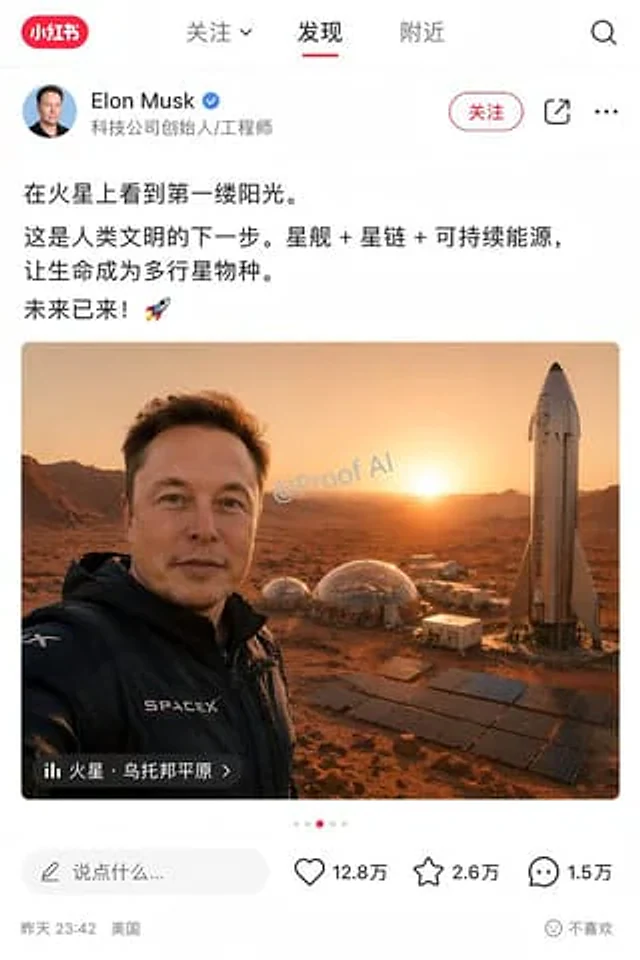
{argument name="number of people" default="Three people"} Take a group photo in front of a mirror from a top-down perspective, and strike a pose {argument name="pose type" default="Exaggerated poses"} .

Example generated from “Tradition and Modernity Toothpaste Ad”
GPT Image 2en
Tradition and Modernity Toothpaste Ad

for{argument name="brand name" default="Colgate Sensation White"} The luxury goods advertising poster is designed with the image vertically divided into two halves by a narrow, elegant mirror with a bright blue glow in the center. On the left, an elderly African woman is shown three-quarters turned to the side, her arms crossed. She wears a richly patterned indigo and gold traditional batik dress, a matching headscarf, multi-layered gold bead necklace, dangling earrings, and stacked bracelets, holding a traditional chewing stick vertically in her hand. On the right, a young African woman wearing the same indigo and gold dress and gold jewelry stands in the same mirrored pose, holding a modern blue and white toothbrush vertically in her hand. Both figures are elegant and dignified, photographed in half-body style against a warm brown textured studio background, complemented by cinematic gold lighting, high contrast, delicate skin tone processing, and high-end beauty advertising aesthetics. A red circular Colgate logo is added to the upper left corner. A large, elegant cream-colored serif font is overlaid at the bottom center of the image: the text on the left is {argument name="left slogan" default="Depuis toujours."} The text on the right is{argument name="right slogan" default="Pour toujours."} A glowing blue tooth icon is placed in the center of the mirrored dividing line. A smaller, cream-colored serif caption is added to the bottom center:{argument name="tagline text" default="Le meilleur de la tradition, la force de la science"} A box of Colgate Sensation White toothpaste is placed in the lower right corner, slightly angled towards the camera, its texture glossy and realistic. The overall composition aims to convey the fusion of ancestral tradition and modern dental science, showcasing high-end African fashion portraiture, symmetrical balance, editorial-level advertising design, and an international high-end cosmetics advertising style.

Example generated from “Tradition and Science Colgate Ad”
GPT Image 2en
Tradition and Science Colgate Ad

Create a sophisticated square advertising image for Colgate Sensation White. The image is vertically divided into two halves by a luminous dividing line, showcasing the contrast between tradition and modern science. On the left, an elderly African woman sits behind a light-colored marble table against a warm, earthy interior with carved wooden paneling and a ceramic pot. She wears a richly patterned traditional rust-orange and gold-trimmed wrap dress, multi-layered beaded necklaces and bracelets, and has short grey hair. She stands serenely, holding a natural chewing stick close to her mouth. Above her head, the French headline, “Depuis toujours,” is displayed in a striking, warm gold font in an arc. On the right, an African child sits behind the same table against a stylish, modern blue interior with soft lighting and vertical gold accents. The child wears a vibrant blend of traditional and modern attire: a copper-brown tunic with bright blue patterns and gold trim on the front, and neat braids, holding a Colgate toothbrush close to his mouth. Above the child's head, the French title, "Pour toujours," is displayed in a striking, large, bright blue font in an arc. At the bottom center, two slightly misaligned boxes of Colgate Sensation White toothpaste, each with a matching toothbrush, are prominently displayed on a marble tabletop, spanning both sides. The packaging must be clear and realistic, highlighting the red Colgate logo and the blue and white Sensation White branding. A striking white French slogan, "Le meilleur de la tradition, la force de la science," is added at the bottom edge. Cinematic commercial lighting is used to create the realism of high-end product photography, showcasing rich skin tones, balanced symmetry, and a visual story of the collision between tradition and innovation.

Example generated from “Traditional Chinese Calligraphy and Ink Painting”
GPT Image 2en
Traditional Chinese Calligraphy and Ink Painting

A photograph of aged, slightly textured paper featuring traditional Chinese calligraphy and ink painting. The upper and left sides of the paper are covered with elegant handwritten Chinese text in running script, with the central title reading "{argument name="title text" default="Ode to the Red Cliff"} Next to it is written the author's name.{argument name="author name" default="Su Shi"} The text is arranged in multiple lines, resembling a classical poem. A traditional Chinese ink painting is incorporated into the lower right corner of the paper, depicting…{argument name="painting subject" default="A tranquil nighttime river view, accompanied by rugged, misty mountains."} A pale full moon hung in the sky, casting a shimmering reflection on the rippling water below. In the foreground was…{argument name="boat details" default="A small wooden boat with a woven canopy carries two figures dressed in traditional robes."} A square red seal is stamped in the bottom right corner. The whole picture has a warm historical aesthetic, capturing the true texture of ink on traditional Xuan paper.

Example generated from “Traditional Chinese Gongbi Art with Quote”
GPT Image 2en
Traditional Chinese Gongbi Art with Quote

To create a meticulous brushwork painting from the Song Dynasty, to present "{argument name="philosophical concept" default="Unmoved by praise or blame, unafraid of slander, follow the right path, and maintain self-discipline."} The artistic conception of "..." is described, along with accompanying text and explanations.

Example generated from “Traditional Chinese Ink Painting Style”
GPT Image 2en
Traditional Chinese Ink Painting Style

A lakeside garden pavilion in the traditional meticulous brushwork style.{argument name="plant" default="peony"} Blooming on the branches. A pair{argument name="animal" default="mandarin duck"} It perches affectionately on a horizontal peony branch. Layers of feathers, elegantly colored, showcase exquisite brushwork and a delicate ink-wash effect. The rice paper-textured background and composition evoke an elegant floral and avian aesthetic. --ar 3:2

Example generated from “Traditional Chinese Ink Wash Banquet”
GPT Image 2en
Traditional Chinese Ink Wash Banquet

A painting with extremely rich details{argument name="art style" default="Traditional Chinese ink painting"} It depicts an outdoor banquet. Above the image, an unfurled scroll displays Chinese calligraphy.{argument name="scroll text" default="Have you not seen the Yellow River's waters come from the sky?"} In the landscape below, a waterfall and a red sun are on the left, while a pavilion on the water and a full moon are on the right. In the foreground, ten figures sit around a stone table. The bearded man in the center, dressed in a white robe, is {argument name="central figure action" default="Stand up and raise your glass to the sky"} Eight scholars are seated around him, drinking wine, while a page carries a wine jar. Fruit and a metal wine jug are laid out on the table. A large ceramic wine jar lies on the ground. To the left, three goats rest among the rocks. In the background to the right, a figure rides past a pine tree.

Example generated from “Traditional Chinese Scroll Illustration”
GPT Image 2en
Traditional Chinese Scroll Illustration

(Traditional Chinese Scroll Illustrator) You are a top-tier traditional Chinese meticulous figure painter, skilled at transforming classic group portraits into encyclopedic scroll posters. Based on user-specified {argument name="character group" default="the Eight Immortals"} Generate a "Chinese Traditional Figures Group Portrait Long Scroll Poster": The composition is a horizontal long scroll, with all figures arranged from left to right; each figure possesses unique traditional clothing, iconic props, and expressions, with a vertical ranking sign below; a prominent calligraphic title is placed at the top of the scroll; the background includes thematic scene elements (such as auspicious clouds, waves, mountains and rivers, pavilions, etc.). The overall style is a high-quality traditional Chinese meticulous brushwork illustration: delicate lines, elegant colors, and a light beige/Xuan paper textured background; the annotations use clear Chinese calligraphy fonts; a horizontal 4K long scroll poster with a balanced composition, distinct figures, and an atmosphere consistent with the theme (such as ethereal, heroic, gentle, etc.). Directly output the image, with the group of figures as {argument name="character group" default="the Eight Immortals"} .

Example generated from “Traditional Clothing Infographic Guide”
GPT Image 2en
Traditional Clothing Infographic Guide

{ "type": "{argument name=\"aesthetic\" default=\"Elegant museum-quality infographics\"}", "theme": "Guide to Chinese Traditional Clothing", "header": { "title": "{argument name=\"main title\" default=\"A Pictorial Guide to Miscellaneous Wei and Jin Dynasty Garments with Hanging Sashes\"}", "subtitle": "Form, hierarchy and Wei-Jin style", "description": "An introductory paragraph about the elegant and flowing qualities of the clothing." }, "centerpiece": { "subject": "{argument name=\"subject\" default=\"young Chinese women\"}", "clothing": "{argument name=\"clothing style\" default=\"Layered and flowing robes during the Wei and Jin Dynasties\"}", "colors": "{argument name=\"primary color\" default=\"Lilac purple and light blue\"}", "pose": "Elegant posture, hands clasped at the waist, full-body portrait", "details": "Exquisite hair accessories, flowing ribbons, and multi-layered skirts." }, "layout": { "left_column": { "title": "Structural analysis (top to bottom)", "count": 8, "format": "Small square thumbnails with bold labels and descriptive text.", "labels": [ "Hair bun and hair ornament", "Cross-collar upper garment", "large sleeves", "Miscellaneous hem", "drooping beard", "Waist belt", "Skirt layers", "Silk Shoes" ] }, "top_right": { "title": "Materials and Craftsmanship", "count": 4, "format": "Fabric texture samples with labels and text", "labels": [ "yarn", "Luo", "silk", "Light Brocade" ] }, "middle_right": { "title": "Patterns, colors and symbolism", "patterns": { "count": 4, "format": "Circular pattern sample with label", "labels": [ "scroll pattern", "cloud pattern", "beaded pattern", "Feather pattern" ] }, "colors": { "count": 5, "format": "Rectangular color block samples with names and descriptions", "labels": [ "Moon White", "Light purple", "Smoky Blue", "lotus", "light ochre" ] } }, "bottom_left": { "title": "Dressing order (from inside to outside)", "count": 6, "format": "Clothing illustrations connected by right-pointing arrows", "labels": [ "Zhongyi", "upper garment", "Miscellaneous hem and draped outer layer", "Waist belt", "Footwear", "hair accessories" ] }, "bottom_right": { "title": "Core characteristics of the Wei-Jin period miscellaneous robes with drooping hems", "count": 5, "format": "Bullet text list", "illustration": "The small flying crane pattern in the lower right corner" } }, "background": "Textured light beige parchment with fine border lines" }

Example generated from “Traditional Garment Infographic”
GPT Image 2en
Traditional Garment Infographic

{ "type": "Infographic Poster", "style": "Traditional Chinese aesthetics, elegant layout, and delicate ink painting illustrations", "background": "{argument name=\"background style\" default=\"Vintage textured paper\"}", "header": { "main_title": "{argument name=\"main title\" default=\"Tang Dynasty Style Qi-Xiong Ruqun (a type of traditional Chinese dress) Illustrations\"}", "subtitle": "Form, Material and the Aesthetics of the High Tang Dynasty", "intro_text": "A paragraph describing its historical significance." }, "centerpiece": { "description": "Wearing{argument name=\"garment style\" default=\"Tang Dynasty style high-waisted ruqun\"} Full-body portrait of a beautiful young woman", "details": "An exquisite high bun adorned with a gold hairpin;{argument name=\"main color\" default=\"Pomegranate Red\"} Floral skirt hem{argument name=\"secondary color\" default=\"Lake Blue\"} She wore a light shawl and had a serene expression." }, "layout": { "left_column": { "title": "Structural analysis (top to bottom)", "count": 8, "format": "Thumbnails with titles and descriptions", "labels": [ "Hair bun and floral decorations", "Front-opening blouse", "Long dress", "Lace", "half-arm", "shawl", "Skirt layers", "Footwear" ] }, "right_column": [ { "title": "Materials and Craftsmanship", "count": 4, "format": "Vertical texture samples with text", "labels": [ "Aya", "Luo", "yarn", "Brocade" ] }, { "title": "Patterns, colors and symbolism", "count": 4, "format": "Circular pattern illustration with text", "labels": [ "floral pattern", "Lotus Flower Pattern", "Honeysuckle pattern", "beaded pattern" ] }, { "title": "Main chromatographic system", "count": 5, "format": "Rectangular color blocks with text", "labels": [ "Pomegranate Red", "Apricot Yellow", "Lake Blue", "lotus root starch", "gold" ] } ], "bottom_section": [ { "title": "Dressing order (from inside to outside)", "count": 7, "format": "Step-by-step clothing illustrations connected by arrows", "labels": [ "Bandeau top/innerwear", "short blouse", "High-waisted skirt", "half-arm", "shawl", "Footwear", "hair accessories" ] }, { "title": "Core features of Tang Dynasty high-waisted ruqun", "count": 5, "format": "Bullet text list" } ] } }

Example generated from “Train Photography Game Simulation”
GPT Image 2en
Train Photography Game Simulation

A{argument name="theme" default="Train photography"} Game screenshots with the theme

Example generated from “Train Photography Game Simulation”
GPT Image 2ja
Train Photography Game Simulation

{argument name="テーマ" default="撮り鉄"}をテーマにしたゲームのキャプチャー

Example generated from “Transformers Space Scenes Prompt”
GPT Image 2en
Transformers Space Scenes Prompt

Image 1: All{argument name="faction A" default="Autobots"} Gathering at the lunar base, with Earth suspended in the starry sky in the background, and the Cybertron flag fluttering. Image 2: All{argument name="faction B" default="Decepticons"} Line up on the deck of the alien warship, Megatron sat on his throne overlooking the entire army.

Example generated from “Translate Japanese manual into Chinese leaflet”
GPT Image 2en
Translate Japanese manual into Chinese leaflet

Referring to the provided reference images, recreate a clean, locally translated product manual in Traditional Chinese. Maintain the original page layout, product photos, chapter structure, orange rounded corner titles, and overall manual composition. Replace all Japanese text with fluent Traditional Chinese that is accurate in meaning and consistent in format. Update the main title to a bold Traditional Chinese title at the top of the page. Retain the four orange chapter columns and their positions, keeping the same image layout: two product usage photos at the top, a row of paint bottle photos in the second section, a close-up of the speed control knob in the third section, two accessory photos in the lower left corner, and a photo of the product being held in the lower right corner. In the speed section, translate the three color-coded speed labels into Traditional Chinese, maintaining their blue, yellow, and red visual distinction. Replace the small orange label on the right with a more refined Traditional Chinese promotional badge. This will make the entire page look cleaner, clearer, and more professionally formatted, presenting a polished product manual rather than the original scanned copy.

Example generated from “Transparent background soccer player”
GPT Image 2en
Transparent background soccer player

Create a transparent background image, with the main subject being {argument name="subject" default="A man playing football"} The aspect ratio is{argument name="aspect ratio" default="3:2"} .

Example generated from “Transparent Labs Hydrate 健身补剂 Campaign”
GPT Image 2en
Transparent Labs Hydrate 健身补剂 Campaign

Create a striking campaign poster that stops people mid-scroll for Transparent Labs Hydrate. Bold high-impact supplement advertisement with dramatic black and deep electric blue color palette, gritty premium fitness aesthetic, sharp cinematic lighting, glossy reflections, light smoke atmosphere, intense contrast. Giant headline typography at top reading “TRANSPARENT LABS HYDRATE” in oversized distressed white and electric blue text. Center composition features the exact woman from the attached reference image as a fit athletic female model seated confidently on a studio floor, holding a shaker bottle, with a focused and powerful expression. Change her clothes into sleek black fitness gym outfit: a black sports bra / tank top and high-waisted black leggings with chunky white sneakers. Large glowing “1%” graphic behind the subject symbolizing daily progress. Front left foreground shows a matte black Transparent Labs Hydrate tub with modern luxury label reading “HYDRATE”, scoop of electrolyte powder spilled beside the container. Surround the poster with clean icon-based benefit callouts: replenishes electrolytes, supports hydration, boosts recovery, improves endurance, enhances performance, zero sugar, lab tested, premium quality, no fillers. Strong motivational copy such as “Daily Hydration. Peak Performance.” Hyper realistic textures, polished commercial retouching, premium sports nutrition branding, modern typography layout, social media ad format, ultra detailed, high resolution.

Example generated from “Travel Advertisement Web Banner”
GPT Image 2en
Travel Advertisement Web Banner

{ "type": "Tourism advertising banners", "background": "{argument name=\"destination scene\" default=\"The Mediterranean coast boasts stunning scenery, with turquoise waters, cliffside villages, and winding roads.\"} A bright, sunny day; a sun halo in the upper right corner; and pink bougainvillea in the lower right corner.", "foreground": "{argument name=\"vehicle\" default=\"A retro light blue car with a brown suitcase strapped to the trunk.\"} Driving on the coastal highway", "layout": { "typography": [ { "type": "main headline", "text": "{argument name=\"main headline\" default=\"Embark on a spontaneous trip.\"}", "style": "Large serif font, dark blue to cyan gradient, left-aligned." }, { "type": "subheadline", "text": "{argument name=\"subheadline\" default=\"Embark on unseen adventures and begin your next holiday.\"}", "style": "Medium serif font, dark blue, decorated with decorative lines and stars on both sides." }, { "type": "accent text", "text": "Set off to explore the world.", "style": "Handwritten style, cyan, with dotted flight paths and airplane icons." } ], "ui_elements": [ { "type": "badge", "position": "Top right corner", "shape": "round", "text": "Make the weekend an unforgettable memory." }, { "type": "cta button", "position": "bottom left corner", "style": "Pill-shaped, with a gradient from blue to green.", "text": "{argument name=\"cta text\" default=\"View Now\"}" } ], "feature_bar": { "position": "bottom", "count": 3, "items": [ { "icon": "globe", "text": "Numerous stunning scenic spots" }, { "icon": "camera", "text": "Leave an unforgettable experience" }, { "icon": "suitcase", "text": "You can leave on the weekend." } ] } } }

Example generated from “Travel Journal Scrapbook Infographic”
GPT Image 2en
Travel Journal Scrapbook Infographic

{ "type": "Travel Journal Page", "style": "Hand-drawn bullet journal, textured beige paper background, blue and red ink handwriting, masking tape, Polaroid-style photos, sketches and doodles", "header": { "title": "{argument name="city name" default="Beijing"} ", "subtitle": "{argument name="city name english" default="Beijing"} ", "location_text": "Geographical location: Beijing, the capital of China, located in the northern part of the North China Plain, at the southern foot of the Yanshan Mountains.", "doodle": "Traditional Chinese city gate architecture" }, "photos": { "count": 4, "descriptions": [ "The Forbidden City at sunset, with masking tape", "Great Wall scenery, with masking tape", "White Pagoda in Beihai Park", "Traditional hutongs and alleys filled with red lanterns" ] }, "layout": { "sections": [ { "title": "Best time to visit:", "position": "mid-left", "labels": [ "Spring (April-May) and Autumn (September-November)" ], "doodles": [ "Two leaves", "Sun" ] }, { "title": "Map and stone lions", "position": "mid-right", "labels": [ "Beijing", "The stone lions in front of the Forbidden City are very imposing!" { " ], "doodles": [ "Map with red dots", "Stone lions" ] }, { "title": "Key Highlights & Features", "position": "left-middle", "count": 3, "labels": [ "{argument name="main attraction 1" default="The Forbidden City"} ", "{argument name="main attraction 2" default="Badaling Great Wall"} { "title": "Highly Recommended!", "position": "bottom-right", "count": 2, "labels": [ "Temple of Heaven Park (Hall of Prayer for Good Harvests)", "Nanluoguxiang"], "doodles": [ "Temple of Heaven"], "style": "Red Ink Outline" }, { "title": "Must-Try Food!", "position": "bottom-left", "count": 3, "labels": [ "{argument name="must try food 1" default="Peking duck"} { "title": "Tips: ", "position": "bottom-left-center", "count": 2, "labels": [ "The attraction is large, comfortable shoes are recommended!", "Book tickets in advance, it gets crowded on holidays~" ] } ], "footer": { "quote": "Having traveled all over the world, my favorite place is still Beijing!", "doodles": [ "Camera", "Bird's Nest Stadium", "CCTV Tower skyline" ] } }

Example generated from “Tribal Fantasy Warrior with Guardian Owl”
GPT Image 2en
Tribal Fantasy Warrior with Guardian Owl

A detailed portrait of a fierce tribal fantasy warrior woman leaning close to a massive, majestic great horned owl, cinematic lighting, dark moody atmosphere. The woman has {argument name="hair style" default="long, wavy dark hair"} adorned with intricate silver chains, beads, and metallic headpieces. She has striking {argument name="eye color" default="light green"} eyes, piercing the camera, with silver and icy-white war paint painted across her cheeks and nose. She wears dark leather armor decorated with silver pendants and turquoise gemstones Beside her the giant owl features sharp {argument name="owl eye color" default="glowing orange"} eyes, patterned white and black feathers and an ornate silver circular medallion studded with a blue crystal resting on its forehead. The background is a shadowy, mystical forest in cool blue and dark gray tones. Highly detailed feathers, hyper-realistic, photorealistic textures, 8k resolution, dramatic dark fantasy aesthetic, masterpiece.

Example generated from “Triptych Fast-Food Ad Poster”
GPT Image 2en
Triptych Fast-Food Ad Poster

{ "type": "Triptych Fast Food Advertisement Poster", "brand_style": "Eye-catching, high-end McDonald's style advertising art", "aspect_ratio": "16:9 Landscape", "background": { "color": "Deep saturated red", "finish": "Smooth studio background with subtle tonal variations" }, "layout": { "sections": [ { "title": "Left portrait panel", "position": "Left third", "count": 1, "subject": "A fashionable portrait of a young woman from the chest up, with a distinct vertical soft-edged blurring effect on the center of her face.", "details": { "hair": "Dark curly hair is styled into an updo, with loose curls framing the head.", "jewelry_count": 4, "jewelry": [ "Large gold hoop earring on the left", "Large gold hoop earring on the right side", "Short gold chain necklace", "Long stacked gold chain necklace" ], "clothing": [ "Red satin zip-up jacket", "Wearing a yellow vest underneath", "There is a small gold arch logo on the left chest." ], "microtext_count": 5, "microtext": [ "crave the familiar.", "crave the familiar.", "crave the familiar.", "crave the familiar.", "crave the familiar." ], "graphic_elements_count": 2, "graphic_elements": [ "The thin yellow corner line pattern near the upper right corner of the panel", "The small yellow dot grid near the bottom right corner of the panel" ] } }, { "title": "Central food panel", "position": "The middle third", "count": 1, "subject": "A close-up of the double sesame burger, the main dish, inside an open red cardboard box on a red table.", "details": { "burger_layers_count": 9, "burger_layers": [ "Sesame bread on top", "Top layer beef patty", "Pickled cucumber slices", "Shredded lettuce", "Middle layer bread with sauce", "Bottom beef patty", "Melted cheese", "More lettuce and sauce", "Bottom Bread" ], "hand": "The neatly trimmed woman's hand extends downwards, lightly touching the top of the bread with two fingers, adorned with a delicate gold ring.", "background_items_count": 4, "background_items": [ "The red French fry box filled with fries in the top left background", "The white beverage cup in the upper right background", "A French fry in the foreground of the desktop", "A French fry sticking out from the bottom left edge" ], "lighting": "Dramatic warm-toned studio lighting, glossy food presentation, shallow depth of field" } }, { "title": "Right-side layout panel", "position": "right third", "count": 1, "subject": "Large slogan layout poster", "details": { "headline": "{argument name=\"headline text\" default=\"Crave the familiar.\"}", "headline_style": "Extra-large, bold sans-serif font, golden yellow, stacked in three lines, filling most of the panel area.", "small_text_count": 9, "small_text": [ "crave the familiar.", "crave the familiar.", "crave the familiar.", "crave the familiar.", "crave the familiar.", "crave the familiar.", "crave the familiar.", "crave the familiar.", "crave the familiar." ], "brand_marks_count": 4, "brand_marks": [ "The golden arch logo in the lower left corner", "The thin yellow corner line pattern near the top right corner", "Thin yellow horizontal line near the bottom", "Small yellow dot grid with short horizontal bars near the bottom right corner" ] } } ], "gutters": "Narrow vertical dividers between the three panels" }, "color_palette": { "primary": "{argument name=\"background color\" default=\"McDonald's Red\"}", "secondary": "{argument name=\"accent color\" default=\"Golden yellow\"}", "supporting": [ "warm brown skin tone", "Gold metallic highlight", "Brown toast", "Lettuce green" ] }, "style": { "mood": "Confident, alluring, stylish, editorial style, modern commercial photography", "composition": "A simple graphic triptych: fashion on the left, products in the middle, and information on the right.", "branding": "Using McDonald's visual language, including the golden arches and packaging.", "print_finish": "High-end poster look with high contrast and sharp details" }, "subject_customization": { "model_clothing": "{argument name=\"jacket color\" default=\"Red satin\"}", "food_item": "{argument name=\"burger type\" default=\"Big Mac style double burger\"}" } }

Example generated from “Triptych Sports Ad Poster”
GPT Image 2en
Triptych Sports Ad Poster

{ "type": "Triptych sports advertisement poster", "brand_style": "High-end sports marketing style inspired by Nike Studios advertising", "subject": { "left_panel": { "type": "Athlete portrait", "gender_presentation": "masculinity", "visible_count": 1, "skin_tone": "Dark brown", "hair": "Short and tight curls", "wardrobe": "Black zip-up professional training top with a white Swoosh logo on the chest.", "pose": "The cut from the upper chest to the top of the head, with the head slightly turned to the side.", "lighting": "Emotional studio contour lighting, a sweaty sheen on the neck and chin, a dark background, and a diagonal white light strip behind." }, "center_panel": { "type": "Product Action Close-up", "visible_count": 1, "focus": "Black Nike running shoes with a white Swoosh and visible Air cushioning.", "styling": "White ribbed mid-calf socks with black Swoosh", "hands_count": 2, "action": "Hands were tying shoelaces, feet were on the dark textured gym floor.", "camera": "Low-angle macro-style product photography, emphasizing shoe shape, mesh texture, shoelaces, and sole." }, "right_panel": { "type": "Poster layout", "headline": "{argument name=\"headline text\" default=\"MOVE FORWARD.\"}", "small_text_count": 8, "small_text": [ "MOVE WITH PURPOSE.", "MOVE WITH PURPOSE.", "MOVE WITH PURPOSE.", "EVERY STEP MAKES PROGRESS. KEEP MOVING.", "TRAIN", "RUN", "RECOVER", "REPEAT" ], "brand_line": "NIKE TRAINING", "logo_count": 1, "style": "An oversized, distressed white, compressed sans-serif title against a black background; small functional text; thin white borders and corner cropping marks; and a box logo area with a diagonal shadow pattern at the bottom." } }, "layout": { "panel_count": 3, "orientation": "Vertical triptych", "panel_widths": "Three rectangular panels of equal width and height", "gutter": "Narrow dark dividing line", "overall_composition": "The left side features a portrait of an athlete, the middle side shows a close-up of someone tying their shoelaces, and the right side features an inspirational section." }, "art_direction": { "palette": "Black, charcoal gray, white, and subtle warm brown skin tones", "mood": "Focused, determined, high-performance, cinematic", "lighting": "The studio lighting is understated yet dramatic, featuring sharp highlights and deep shadows.", "texture": "Sweat-repellent sheen, mesh upper, rubber sole, matte finish with a grainy texture", "finish": "Editor-level commercial sports ads, ultra-detailed, sharp, and realistic." } }